• Some users have recently had their accounts hijacked. It seems that the now defunct EVGA forums might have compromised your password there and seems many are using the same PW here. We would suggest you UPDATE YOUR PASSWORD and TURN ON 2FA for your account here to further secure it. None of the compromised accounts had 2FA turned on.
    Once you have enabled 2FA, your account will be updated soon to show a badge, letting other members know that you use 2FA to protect your account. This should be beneficial for everyone that uses FSFT.

BAMT vs. Windows... tuning... ugh.

SunnyD

2[H]4U
2FA
Joined
Jul 6, 2004
Messages
3,431
Why does it have to be this difficult?

My 3 unlocked 6950's... a rock solid 440khash/s per card with the following settings in Windows:
Code:
g 2 I 19 thread-concurrecy 8192 w 256 vectors 1 lookup-gap 2

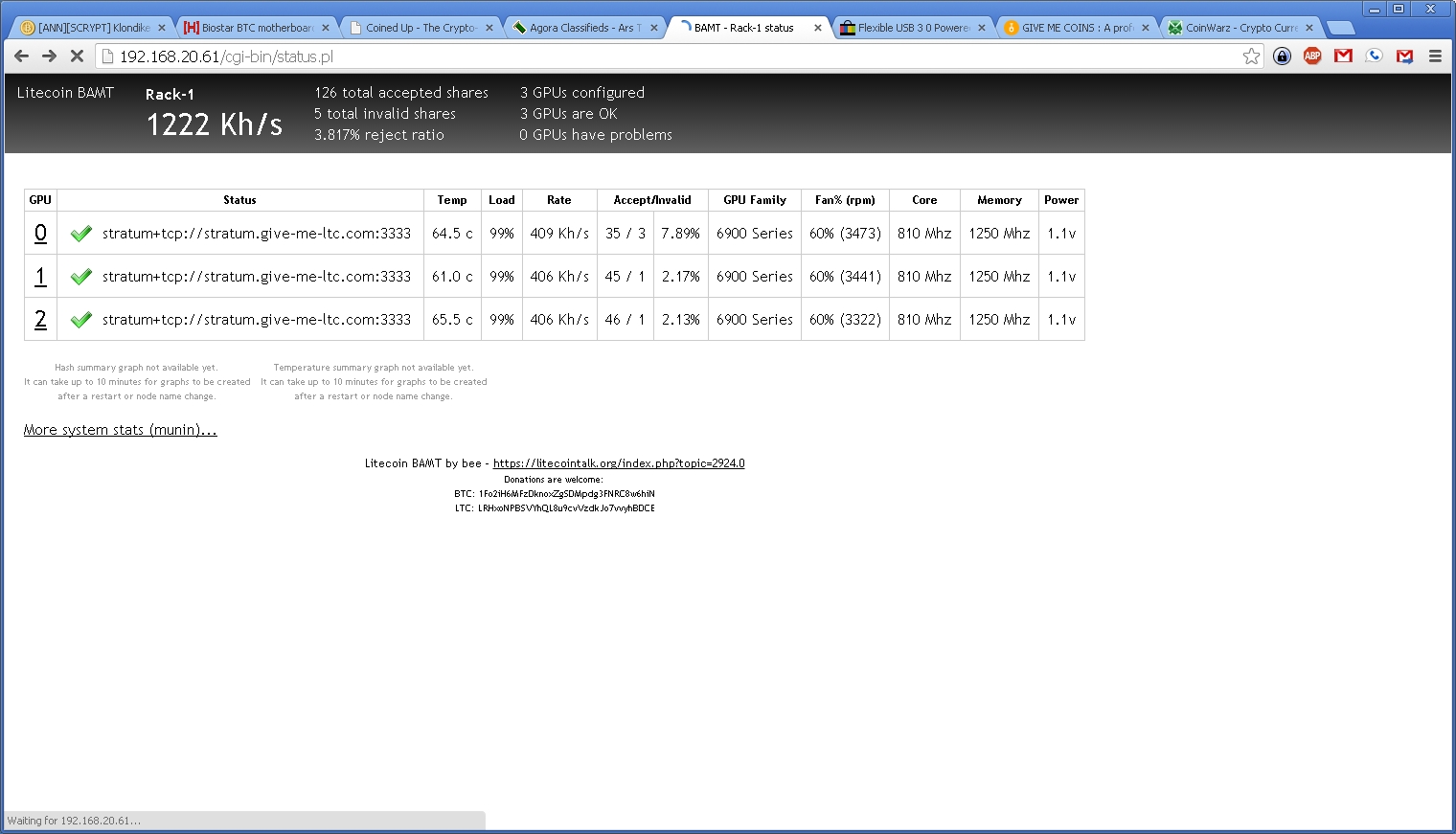
I finally got all the parts for my mining rack, grabbed a USB stick and put BAMT on it, plugged in the 3 unlocked 6950's and configured the exact same settings...
Card #1 gets about 260khash/s
Card #2 gets about 190khash/s
Card #3 gets about 160khash/s

wtf?

Even insofar as to rule out it was something BAMT itself was doing since I found that it was using sgminer, I tried cgminer itself, same results.

Going farther, I noticed that I could do a little better if I changed to a single thread and upped the thread concurrency - I was able to get all three cards running full load at TC 16384 but maxed out at right around 300khash/s.

The only other possibly difference is that the cards have moved from my desktop (i7-3820 with 32GB ram) to a mining rig (i3-2100 with 8GB ram on PCIe risers). Potentially it could make a difference I guess, but it shouldn't.

But seriously - it shouldn't be THIS difficult to take a config that worked with these exact same cards from one machine to another, should it?
 
What version of BAMT are you running? The newer versions have newer drivers that work best with R9's, but not older cards.
 
What version of BAMT are you running? The newer versions have newer drivers that work best with R9's, but not older cards.

I think I'm working with 1.5. I tried 1.4 at first because of the warnings, but it wouldn't even boot.

I don't understand how the drivers could be problematic when I was using the latest drivers in Windows. Arguably Windows != Linux, but still.
 
I was not aware of the auto-donation. I've never noticed it doing work for another username.
 
use the SMOS build on ltcrabbit.com which has NO FORCED DONATION!

Download our LTC mining operating system "SMOS-LTCRabbit-Edition"
SMOS-LTCRabbit-Edition-V2 (1 GB)

Extract the ZIP file. You'll find the file SMOS-LTCRabbit-Edition-V1.img inside
username: root / password: rabbit
SMOS-LTCRabbit-Edition is of course free of donation mining!
Release notes (30.12.2013)
 
I have the complete opposite. I have my Sapphire R9 290x cards running perfectly on BAMT 1.5 while it doesn't run properly in my other rig in Windows.
 
Sunny, Im about to put x2 6970s on my BAMT 1.5 build so see how they run. I get ~480kh/s on each (stable....they'll go to 500kh with babysitting). This is the config I use on Windows:
--gpu-engine 900 --gpu-memclock 1375 --thread-concurrency 12672 --intensity 18 --gpu-fan 50 --worksize 256 -g 1

Will let you know how it goes.
 
If the 6950's are unlocked, 440KH/s is very low. I have 3x 6970s (all XFX reference cards) that run all day @950/1425 - 515KH/s with zero babysitting.
TC-16192 / Intensity - 18 / worksize - 256 / g 1

This is on Win 8.1 though.
 
If the 6950's are unlocked, 440KH/s is very low. I have 3x 6970s (all XFX reference cards) that run all day @950/1425 - 515KH/s with zero babysitting.
TC-16192 / Intensity - 18 / worksize - 256 / g 1

This is on Win 8.1 though.

I'm not overclocking them nearly at all my friend. 810MHz core, stock memory, undervolted to 1.025v (in windows that is). Now tell me I'm doing bad. :p

Even so, BAMT refused to give me any more than about 300KH/s per card no matter what.

For what it's worth, I wouldn't mind finding a nice g1 config anyway since I'll be adding a couple pitcarn cards to the mix. On top of that, running g 2 seems to make the whole machine run like total crap in general.
 
I'm not overclocking them nearly at all my friend. 810MHz core, stock memory, undervolted to 1.025v (in windows that is). Now tell me I'm doing bad. :p

Even so, BAMT refused to give me any more than about 300KH/s per card no matter what.

For what it's worth, I wouldn't mind finding a nice g1 config anyway since I'll be adding a couple pitcarn cards to the mix. On top of that, running g 2 seems to make the whole machine run like total crap in general.

It depends on which pitcairn you have, but my configs are as follows:

XFX 270 cards -
Clock @1100/1500
-I 19
-TC 24000
-g 1
-worksize 256
This nets me 470-475Kh/s from each card with zero errors and less than 1% rejects. They run fine 24/7 at these speeds, at last count I think I have 14 of them running @ these settings.

Sapphire 270x cards or Gigabyte 270(x):
clock@ 1130/1500
-I 19
-TC 10239 (I have no idea what it is about this TC but the Sapphire and Gigabyte cards seem to like it)
-g 1
-worksize 256

The Sapphire and Gigabyte cards seem to like pretty much the same settings, and I can run them at a higher TC, but I've found they tend to throw 1-3 HW errors every 24 hours at those clock speeds. With the 10239 setting, there is zero difference in KH/s but I get zero errors. If they are non (x) cards, I usually turn the clocks down to 1100-1120 to keep them stable 24/7. This config nets me 480-490KH/s on every card. I don't undervolt any of my cards, all of them are clocked to the max basically. Power where I live is .05 per kw/hr so I could care less if I use a few more watts and nearly all my rigs have room to spare with their power supplies.
 
If you run g 2, you need to use xintensity. using regular intensity will give you shit results. g 2 and xI on my 270s gave me a 5-10khs boost and cut rejects in half due to more threads.
 
Well, this is better... but it's still not 440kh/s @ 1.025v.

6nSPdVVtceVlFIVnrA9AIu65S802T.jpg
 
I was not aware of the auto-donation. I've never noticed it doing work for another username.

I caught it one night. He puts the disclaimer in a block of text on his website, so it's not easily seen. He also didn't do a whole lot to the build in comparison to the original developer, so I'd rather support that guy than the SMOS guy.

The original BAMT developer even got into it with him on Reddit: http://www.reddit.com/r/litecoinmin...mos_linux_12_backdoor_mining_to_another_pool/
http://www.reddit.com/r/litecoin/co...nux_10_scrypt_mining_operating_system/cdyn3x8

I removed SMOS 1.3 from my rigs and now use Bee's version of BAMT - https://litecointalk.org/index.php?topic=2924.0

Avoid 1.5, as it reduced my hashrates on every rig/card I tried it on (I think it's the 14.1 drivers). 1.4 works great with older cards. 1.3 works good with R9 series.
 
Avoid 1.5, as it reduced my hashrates on every rig/card I tried it on (I think it's the 14.1 drivers). 1.4 works great with older cards. 1.3 works good with R9 series.

There is a build on litecointalk that is 1.5 with the old 13.12 drivers. If you don't mind trusting random builds. I never use any passwords or log into anything on them, so I don't mind using them.
 
Well I gave up on BAMT for now. I gave in and threw a Win7 install on a spare SSD I had laying around, got my 440KH/s back.

There were three reasons I did this:
#1 - First and foremost, I'm stuck with wifi for now, and BAMT is simply unstable with wifi. It drops out at random and will "sometimes" reconnect, or sometimes just never reconnect. Not much I can do if I'm not around when it dumps wifi and decides to refuse to reconnect.
#2 - Undervolting. I *know* these cards are rock-solid stable at 1.025v. I can't undervolt them in BAMT. Even with AMDOverdrive - I played with it, all I got were unstable results. With MSI Afterburner and GPU-Z, I know exactly that ALL of my cards are running 1.025v, the fan speeds are right and the temps are rock solid.
#3 - I'm not leaving hash rates on the table. Would you want to leave 100KH/s on the table if you didn't have to?

Oh well.
 
So reporting back in, I gave up on BAMT as well. Lol. I was ok with my 7970 but once I put 270s and 6970s in the mix, I've had nothing but problems. Tried both 1.3 & 1.5 and no matter what configuration I try, I get the red screen of gay. I'll be installing win7 on an ssd tomorrow and running that for now. I'm just losing too much time with BAMT.
 
I'm the exact opposite.. once I spent about 3-4 hours tweaking BAMT 1.3 for my 280x rigs... trouble free and no need to go back to windows. Plus, I get about 5% better hash rate with BAMT... The only issue I have had is my AP that I'm using as a bridge died while I was out of town, but that had nothing to do with BAMT...
 
BAMT wouldn't even detect all my cards on one of my rigs had 4x7950s and it would only detect two of them. After I messed with it for 30 mins, I just plugged my SSD back in thta had WIN7 on it and went back to using cgwatcher/cgremote.
 
Back
Top