• Some users have recently had their accounts hijacked. It seems that the now defunct EVGA forums might have compromised your password there and seems many are using the same PW here. We would suggest you UPDATE YOUR PASSWORD and TURN ON 2FA for your account here to further secure it. None of the compromised accounts had 2FA turned on.
    Once you have enabled 2FA, your account will be updated soon to show a badge, letting other members know that you use 2FA to protect your account. This should be beneficial for everyone that uses FSFT.

Best laptop for daughter @ college?

Zorachus

[H]F Junkie
Joined
Dec 17, 2006
Messages
12,401
My daughter starts College this Fall, and she needs a laptop. We're big custom gaming PC desktop people here, I build all their high-end computers for them, we don't own any laptops, so not too familiar with them.

My daughter said Apple Macbook's are recommended per the college. iOS or whatever OS they use will be unfamiliar territory for my daughter as the whole family uses Google Pixel phones and Windows 11 Pro desktops, but she's open to trying an Apple device.
 
Ill also say that we bought the base spec machine, M4 or whatever.

We do generic laptop stuff, but have also done some video content editing and encoding.

Holy shit, its just shockingly powerful and efficient. Have never seen anything like it.

Dont fall for the trap of needing a super spec Mac.
 
The OS is designed for retards
exactly, and children. it made so anyone can tap a big colorful icon and figure shit out.

op if your daughter is used to "google" just put google suite on it and you basically there.
 
Last edited:
I would go with apple and a care plan for it. Even if she drops it, repair is covered. This way you don't have to dork around with it when she shows up with a broken laptop that you need to fix NOW.
 
13 inch or 15 inch laptop size is better for my daughter?
If portability is a priority, go 13". The smaller form factor makes more of a difference than you might think. Maybe get her a 24" monitor for when she's at her desk.
 
Went to our local Apple store in the pouring 🌧️ today.

Was very fast in there, walked into the laptop section, guy asks to help me, I say MacBook Air 32GB and 1TB in silver and a mouse. He LOL'd said ok you know what you want

Only thing was no 32GB versions in stock, highest was 24GB. Then he discussed screen size right my daughter that 15 inches can be a bit much lugging around in your backpack and just taking it out and putting away easier, he strongly suggested the 13 inch for college. He then suggested buy a 1440p stand alone monitor to plug the MB Air into back in the room. So need to look into that.

Decided on everything. He said get a clear case or a case, and gave us the Tech 21 case.

Paid with Google Wallet and it was all good to go.

We were in and out in 15 minutes.
 
Only thing was no 32GB versions in stock, highest was 24GB. Then he discussed screen size right my daughter that 15 inches can be a bit much lugging around in your backpack and just taking it out and putting away easier, he strongly suggested the 13 inch for college. He then suggested buy a 1440p stand alone monitor to plug the MB Air into back in the room. So need to look into that.
Along with the screen another thing to look into is getting a Thunderbolt hub or maybe a monitor with a built-in USB-C or Thunderbolt hub. I use a Mac for work. At the office we have USB-C monitors with power delivery, so it's one cable to the Mac. Does everything. Video, USB, ethernet, power. For a few years I was using a Thunderbolt hub to plug my work Mac into all my other stuff. I had a fancier one, I think it was ~$250. Then a couple weeks ago my main work monitor died. Spent a couple weeks using my gaming OLED for work while waiting for a replacement. So now I have the 3rd single cable option, a monitor with a built-in Thunderbolt hub. Does the same as the other two except better mostly. More pixels, faster USB, 2.5Gb wired ethernet. The one thing the external hub did my new screen doesn't do is the external hub could handle 2 screens... but I don't care because my new screen is big enough that I won't bother with side screens.

At any rate my point here is look into a dock for that Mac. A thunderbolt dock that does one screen, video, sound, ethernet and power delivery sufficient for an Air doesn't have to come with a huge price tag. I bought a shiny one for a 16" pro in 2023 for $250. Haven't researched them since and there were much cheaper options at the time, but I wanted the multi-display output, 2.5Gb ethernet, and all the other bells and whistles that came with the fancy $250 one. Hook my dock up to a PC with TB4 and it can run 4 screens, but Apple goofs off and there's something they don't implement so they max out at 2.

Another thing to consider - is she bringing a desktop gaming PC along as well? That could influence monitor choice.
 
Went to our local Apple store in the pouring 🌧️ today.

Was very fast in there, walked into the laptop section, guy asks to help me, I say MacBook Air 32GB and 1TB in silver and a mouse. He LOL'd said ok you know what you want

Only thing was no 32GB versions in stock, highest was 24GB. Then he discussed screen size right my daughter that 15 inches can be a bit much lugging around in your backpack and just taking it out and putting away easier, he strongly suggested the 13 inch for college. He then suggested buy a 1440p stand alone monitor to plug the MB Air into back in the room. So need to look into that.

Decided on everything. He said get a clear case or a case, and gave us the Tech 21 case.

Paid with Google Wallet and it was all good to go.

We were in and out in 15 minutes.
A very late reply, I know, but: this is honestly one of the reasons why Apple is so popular. You can walk in and get what you want (32GB Air configs are custom, so that's why 24GB was what you got), and the staff are encouraged to recommend what's best as there's no commission.

I also wouldn't stress too much about 24GB versus 32GB. Unless your daughter is coding or 3D modeling, 24GB is plenty right now. I have an M4 MacBook Pro and it never skips a beat while I'm juggling Photoshop, Slack, and umpteen browser tabs.
 
Sounds like you already bought but just for future reference or the reference of others: Spend time checking out the software in use for the major(s) you are thinking about. There's a LOT of Mac heads that work in admissions who recommend Macs to everyone because they are shiny but plenty of programs that have stuff that isn't Mac based. I do IT work for a university, mostly security, servers, and network but I see this issue all the time. I work a lot with Engineering and there's lot of engineering software that is just not for Macs. So students (or professors) will get a shiny Mac, then need software that is Windows only and pitch a fit. The answer is either come in to a computer lab or use a fairly slow online virtualization, neither of which people really like. The students that got Windows laptops just install the software on their systems, VPN in to get a license, and work from wherever they want.

It's just always worth putting in some research time to find out what software is actually likely to be asked for, and of course that varies a LOT by major. For many, it'll be office and web access and little else so literally any computer works. However some, engineering being the biggest offender, have a ton of specialized software.
 
The answer is either come in to a computer lab or use a fairly slow online virtualization, neither of which people really like. The students that got Windows laptops just install the software on their systems, VPN in to get a license, and work from wherever they want.

Isn't that on the college to provide the VDI infrastructure for students to be able to work properly? Why is the infrastructure so bad that a generic windows laptop outperforms the servers running in the datacenter?
 
Isn't that on the college to provide the VDI infrastructure for students to be able to work properly? Why is the infrastructure so bad that a generic windows laptop outperforms the servers running in the datacenter?
Money. That's always the answer. If you want powerful, low latency, high speed etc, etc, that all costs more. Universities, at least public ones, are under quite the budget crunch. Nobody wants to toss tons of money at having a good solution, particularly when there's cloud providers offering a "good enough" solution. Extra particularly when they also have the solution they've had for decades: labs you can go to with computers that work. There's also the more minor issue of accessibility. The best VDI solutions use a dedicated client like Remote Desktop. However students want easy, they want it in a browser so they can use it on an iPad. You can have that, and we do have that, but it does mean the performance is going to suck more.
 
Money. That's always the answer. If you want powerful, low latency, high speed etc, etc, that all costs more. Universities, at least public ones, are under quite the budget crunch. Nobody wants to toss tons of money at having a good solution, particularly when there's cloud providers offering a "good enough" solution. Extra particularly when they also have the solution they've had for decades: labs you can go to with computers that work. There's also the more minor issue of accessibility. The best VDI solutions use a dedicated client like Remote Desktop. However students want easy, they want it in a browser so they can use it on an iPad. You can have that, and we do have that, but it does mean the performance is going to suck more.

I don't get the remote desktop want/need. Use Horizon and the Blast protocol and you can use it from a web browser or use their Android or iPadOS client and performance remains the same. It sounds like architectural problems more than anything else.
 
I don't get the remote desktop want/need. Use Horizon and the Blast protocol and you can use it from a web browser or use their Android or iPadOS client and performance remains the same. It sounds like architectural problems more than anything else.
I mean you are welcome to go and talk to the team who runs it if you want (I'm not on that team) but unless this is something you've actually done for a large enterprise and done on a limited budget, I wouldn't be surprised if your preferred solution has some issues cost often being the big one. Good VDI is expensive, in my experience.

Alsoalso: If you've never worked with a big enterprise, which a university is, something you run in to is that once you get a solution with a vendor there is resistance to change because it isn't easy. Playing with something in a home lab, or even small business, sure you can just say "Know what? I want to try something different, let's do this instead." Little harder to do when there's a whole bid and procurement system, you have to deal with hundreds of stake holders to change how things are done, etc. Often staying with a solution that is suboptimal but does work is the easier answer than a change.

For what it's worth they did look at VMWare's solution back when this whole thing was getting set up and it was eliminated fairly early because of cost.


Regardless, you can argue all day about how universities SHOULD do things, I'm just giving the advice to people: Make sure your laptop runs the software you are going to be using if possible, as it'll make your life easier and give you the option to run it on your hardware, rather than what they have. Maybe their shit is awesome and you don't want to use your laptop, that's great, but if it isn't, be awful nice to have that as an option rather than have to say "Oops, I bought a system that isn't compatible."

This is, of course, assuming you get a choice. Some universities deal with this via the expedient method of simply requiring you buy a certain system often directly from them. I don't like that solution and thankfully we don't do it where I work, but I know of places that do.
 
I mean you are welcome to go and talk to the team who runs it if you want (I'm not on that team) but unless this is something you've actually done for a large enterprise and done on a limited budget, I wouldn't be surprised if your preferred solution has some issues cost often being the big one. Good VDI is expensive, in my experience.

Everyone has a budget that you need to work with, but Horizon is cheap comparatively. There's no way a cloud provider is providing a solution that's cheaper than doing it in house if you're willing to have your people do the work. You'll always pay more for someone else to do it for you.

Alsoalso: If you've never worked with a big enterprise, which a university is, something you run in to is that once you get a solution with a vendor there is resistance to change because it isn't easy. Playing with something in a home lab, or even small business, sure you can just say "Know what? I want to try something different, let's do this instead." Little harder to do when there's a whole bid and procurement system, you have to deal with hundreds of stake holders to change how things are done, etc. Often staying with a solution that is suboptimal but does work is the easier answer than a change.

I mean, you can blame your vendor and from what is sounds like just let them provide you an inferior solution that doesn't really work for your users. But I do this for a living and I work out of the same environment my users do, if I can do something better, I'll always be looking for way to improve things.

For what it's worth they did look at VMWare's solution back when this whole thing was getting set up and it was eliminated fairly early because of cost.

Horizon is owned by Omnissa now and has support for more than just VMware. Depending on how you want to do things though, vSphere is still the most integrated solution.

Regardless, you can argue all day about how universities SHOULD do things, I'm just giving the advice to people: Make sure your laptop runs the software you are going to be using if possible, as it'll make your life easier and give you the option to run it on your hardware, rather than what they have. Maybe their shit is awesome and you don't want to use your laptop, that's great, but if it isn't, be awful nice to have that as an option rather than have to say "Oops, I bought a system that isn't compatible."

The problem is you have the departments get ahead of things if you want them to be able to dictate what hardware/software students should be buying. If they aren't willing to do that and they aren't willing to provide students with other methods of working, there's not much you can do. But a cheap laptop should never outperform university supplied compute.

This is, of course, assuming you get a choice. Some universities deal with this via the expedient method of simply requiring you buy a certain system often directly from them. I don't like that solution and thankfully we don't do it where I work, but I know of places that do.

Standardizing does make things easier for everyone involved on the support side, you can easily re-image their laptops when they have issues and the vendor provides them with the image already on it. Not much needed for deployment or support and students have the ease of going one place for any of their technology issues.
 
Everyone has a budget that you need to work with, but Horizon is cheap comparatively. There's no way a cloud provider is providing a solution that's cheaper than doing it in house if you're willing to have your people do the work. You'll always pay more for someone else to do it for you.
I mean, you can blame your vendor and from what is sounds like just let them provide you an inferior solution that doesn't really work for your users. But I do this for a living and I work out of the same environment my users do, if I can do something better, I'll always be looking for way to improve things.
Ok would you like the contact information of the people responsible? Do you want to put together a proposal? Because you are lecturing me on shit I DO NOT CONTROL. I was offering a reason why people might want to look at getting a laptop that works with the software their major wants, because this is the actual situation at a large public university, and I know of a similar situation at another one so I know we aren't unique. That's all. You now keep lecturing me as though I should fix it. If you do work in a similar situation you should be aware of the whole issue of different domains of responsibility.

I didn't choose our system, I don't administer it, I don't interact with it, I don't set the budget. My point isn't that we are doing things right, it is that this is something you may encounter and don't have control over. What you DO have control over is getting a system that can run the software you want. Also to add one more reason why it isn't a bad idea: You may well live or temporarily be somewhere with poor internet. If you net connection sucks, remote work sucks. It can be nice to be able to run things local.
 
Along with the screen another thing to look into is getting a Thunderbolt hub or maybe a monitor with a built-in USB-C or Thunderbolt hub. I use a Mac for work. At the office we have USB-C monitors with power delivery, so it's one cable to the Mac. Does everything. Video, USB, ethernet, power. For a few years I was using a Thunderbolt hub to plug my work Mac into all my other stuff. I had a fancier one, I think it was ~$250. Then a couple weeks ago my main work monitor died. Spent a couple weeks using my gaming OLED for work while waiting for a replacement. So now I have the 3rd single cable option, a monitor with a built-in Thunderbolt hub. Does the same as the other two except better mostly. More pixels, faster USB, 2.5Gb wired ethernet. The one thing the external hub did my new screen doesn't do is the external hub could handle 2 screens... but I don't care because my new screen is big enough that I won't bother with side screens.

At any rate my point here is look into a dock for that Mac. A thunderbolt dock that does one screen, video, sound, ethernet and power delivery sufficient for an Air doesn't have to come with a huge price tag. I bought a shiny one for a 16" pro in 2023 for $250. Haven't researched them since and there were much cheaper options at the time, but I wanted the multi-display output, 2.5Gb ethernet, and all the other bells and whistles that came with the fancy $250 one. Hook my dock up to a PC with TB4 and it can run 4 screens, but Apple goofs off and there's something they don't implement so they max out at 2.

Another thing to consider - is she bringing a desktop gaming PC along as well? That could influence monitor choice.
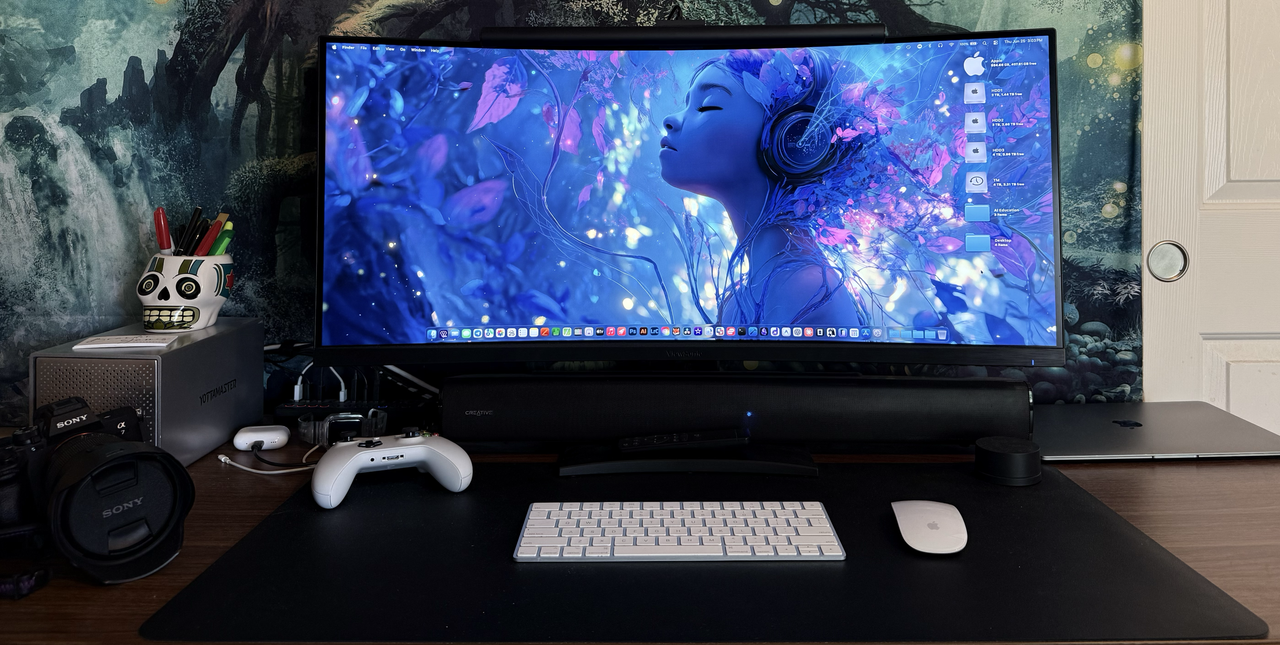
I'm currently using THIS.

I'm still rocking this stupid M1 MacBook Air (upgrading next year):

Full-Size-Render.png
 
As an Amazon Associate, HardForum may earn from qualifying purchases.
Ok would you like the contact information of the people responsible? Do you want to put together a proposal? Because you are lecturing me on shit I DO NOT CONTROL. I was offering a reason why people might want to look at getting a laptop that works with the software their major wants, because this is the actual situation at a large public university, and I know of a similar situation at another one so I know we aren't unique. That's all. You now keep lecturing me as though I should fix it. If you do work in a similar situation you should be aware of the whole issue of different domains of responsibility.

I didn't choose our system, I don't administer it, I don't interact with it, I don't set the budget. My point isn't that we are doing things right, it is that this is something you may encounter and don't have control over. What you DO have control over is getting a system that can run the software you want. Also to add one more reason why it isn't a bad idea: You may well live or temporarily be somewhere with poor internet. If you net connection sucks, remote work sucks. It can be nice to be able to run things local.

You conveniently left out the other half of my responses. Is the university providing incoming students a list of software they need to be able to run so that they can "have control over getting a system that can run the software" they need to be able to run?

This is one of the reasons it's a hell of a lot easier if the university has standard systems for students to purchase that provide them with a turn key solution that is guaranteed to work with the software required. Making those systems mandatory is a choice though but maybe that's what will get all of your engineering students a system that will run the software they need.
 
You conveniently left out the other half of my responses. Is the university providing incoming students a list of software they need to be able to run so that they can "have control over getting a system that can run the software" they need to be able to run?
Yes, they are. That also, is not my job, but yes there is a list. Also some departments have recommended systems listed. That's how you can determine if you are in Engineering that a Mac isn't going to run probably 60%ish of the software. That's the sort of thing I'd advise people to research when they (or their children) are going to school. Not all universities will have it, I'm sure there are plenty that don't bother to list it and even if they do, it could change or something could be missed. I just think it is worth the time to check.

It's not the problem it once was, there's a LOT more cross platform software these days, and maybe you decide you want a Mac enough that you just don't care about the one or two things that would be an issue. However it can make life easier if you do have your own system to run things on.

Heck that was true back when I went to university in the long ago times. I had my own desktop, not everyone did back then, and I set it up to be able to run the stuff needed for computer science which was real nice because it meant I didn't have to go to the shared labs and wait for the, sometimes slow, shared server.
 
I'm currently using THIS.
That's exactly the sort of thing I'm talking about. Same brand as mine too (Pluggable). I'd have gone for something like that if I hadn't wanted the multi-display capabilities & port flexibility. My 2023 fancy one has 2xDP, 2xHDMI and a Thunderbolt 4 uplink. That one would actually be better for a lot of use cases. It's not limited to 60Hz like mine is, and it's got 125W power delivery (read the fine print...) vs. 97W for mine. So possibly faster charging and could support a more power hungry laptop. I'm not sure if any Mac laptops pull that much but some of them can use 140W for charging. My 16" M2 pro can, or at least the standard charger is 140W. $75 for one cable convenience is also easier to swallow than $250.
 
As an Amazon Associate, HardForum may earn from qualifying purchases.
Back
Top