![[H]ard|Forum](/styles/hardforum/xenforo/logo_dark.png)

- Joined
- Nov 11, 2012
- Messages
- 1,475
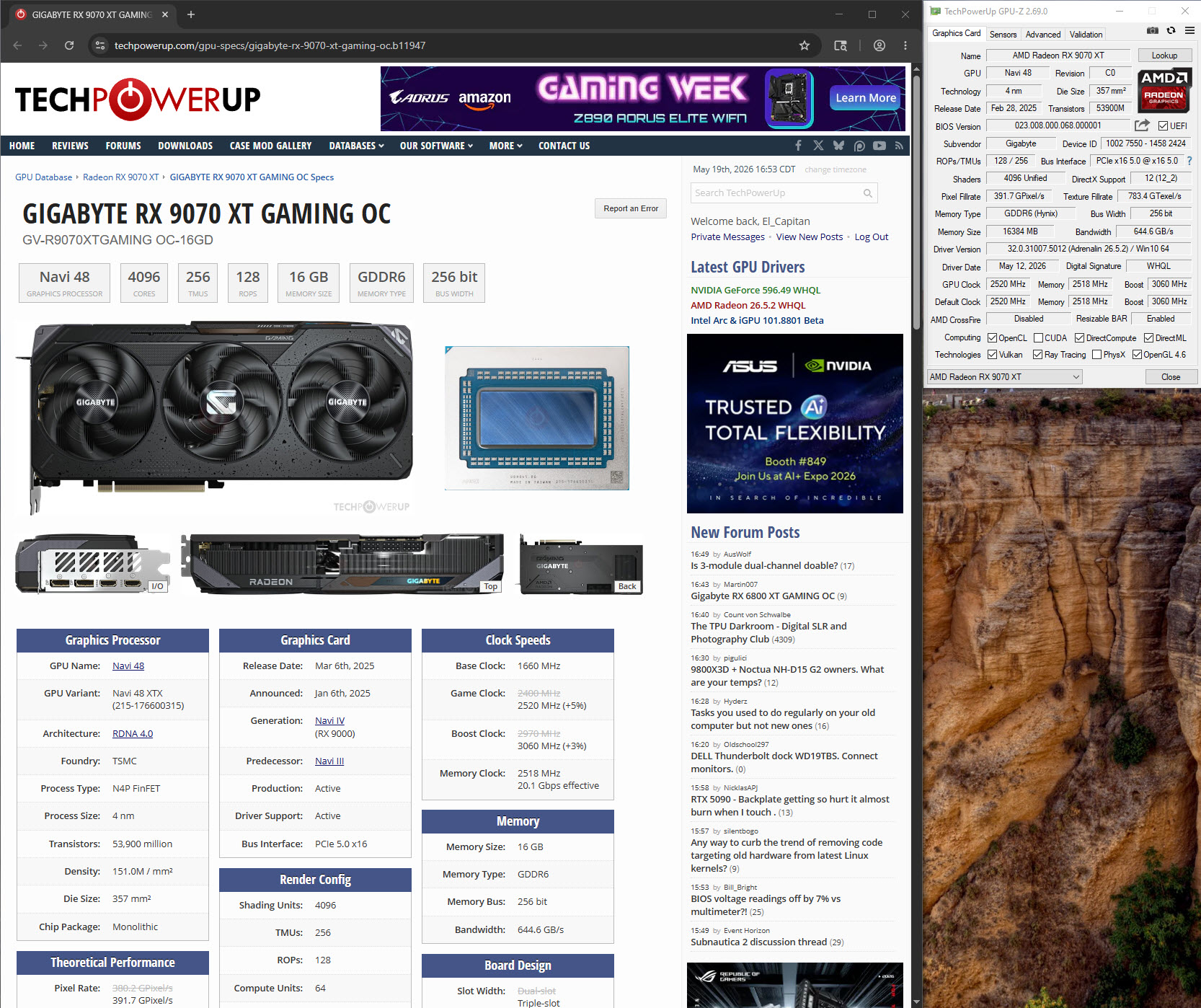
I haven't used an AMD graphics card since maybe 2017, and that was with an aging R9 290X. I for sure didn't miss the AMD drivers.
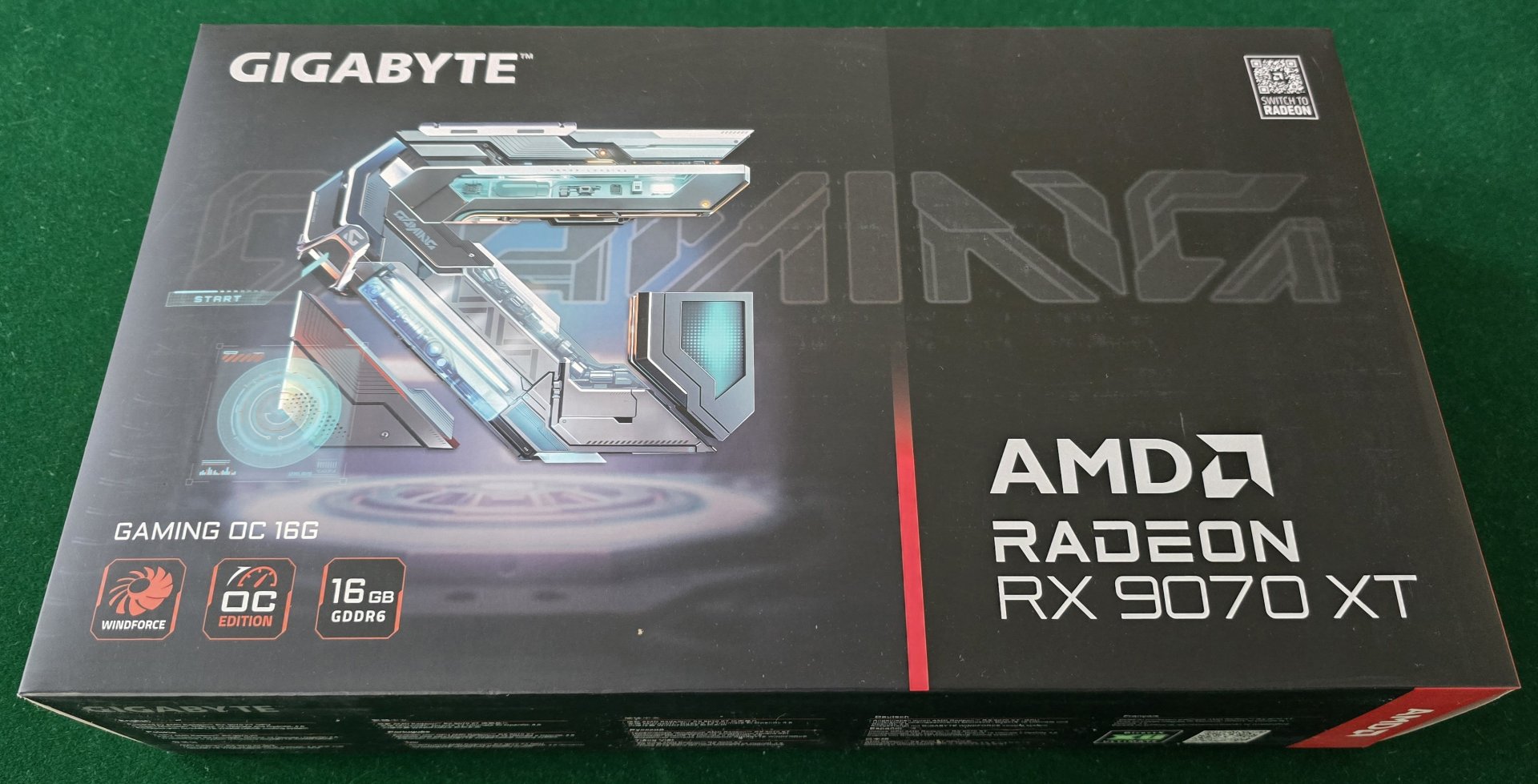
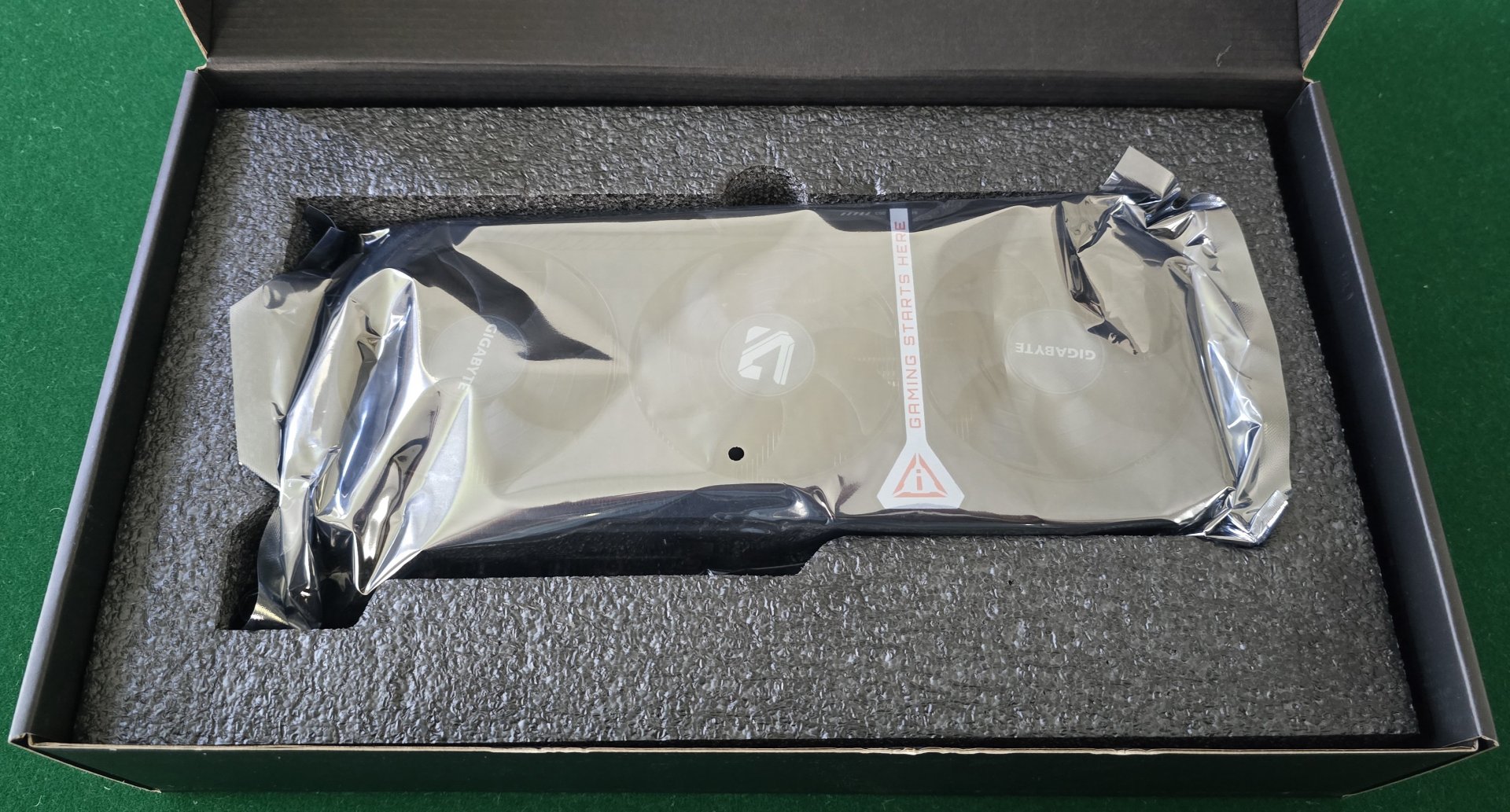
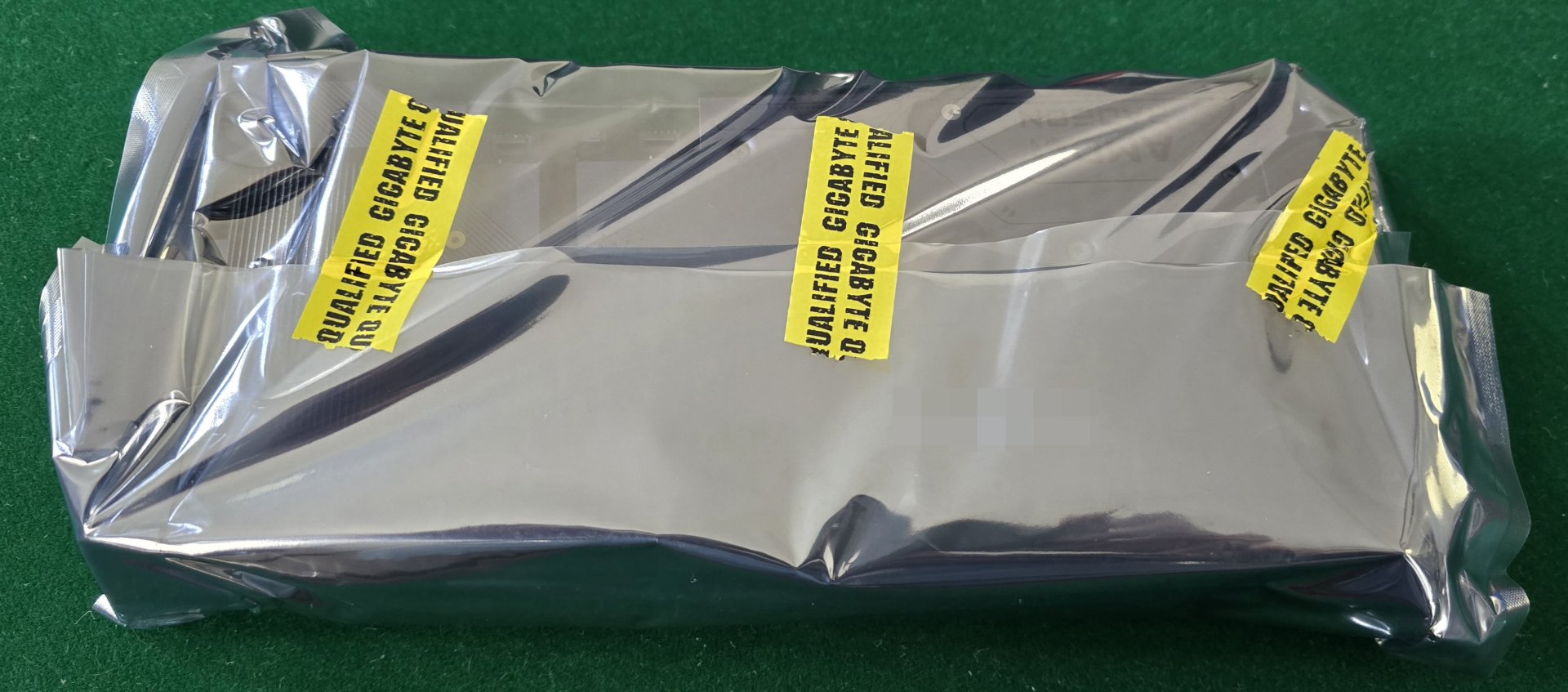
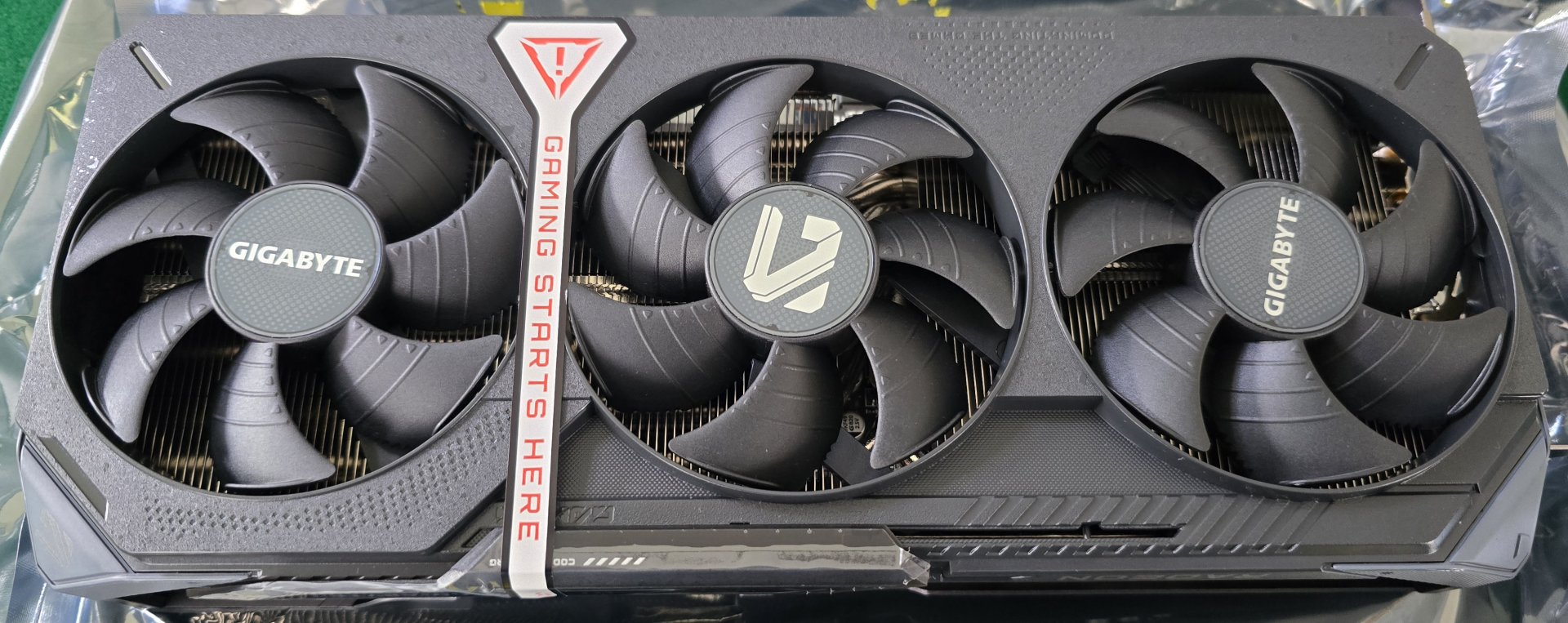
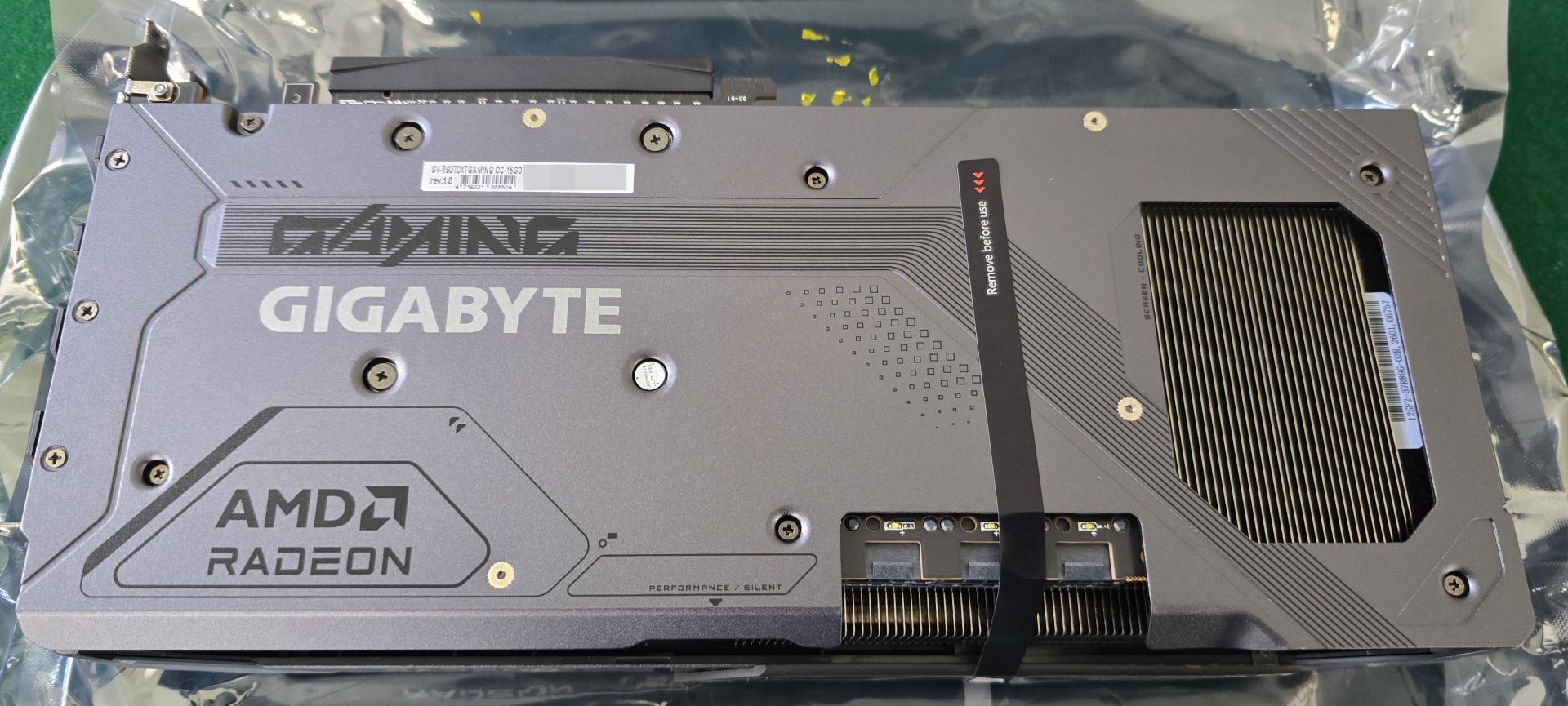
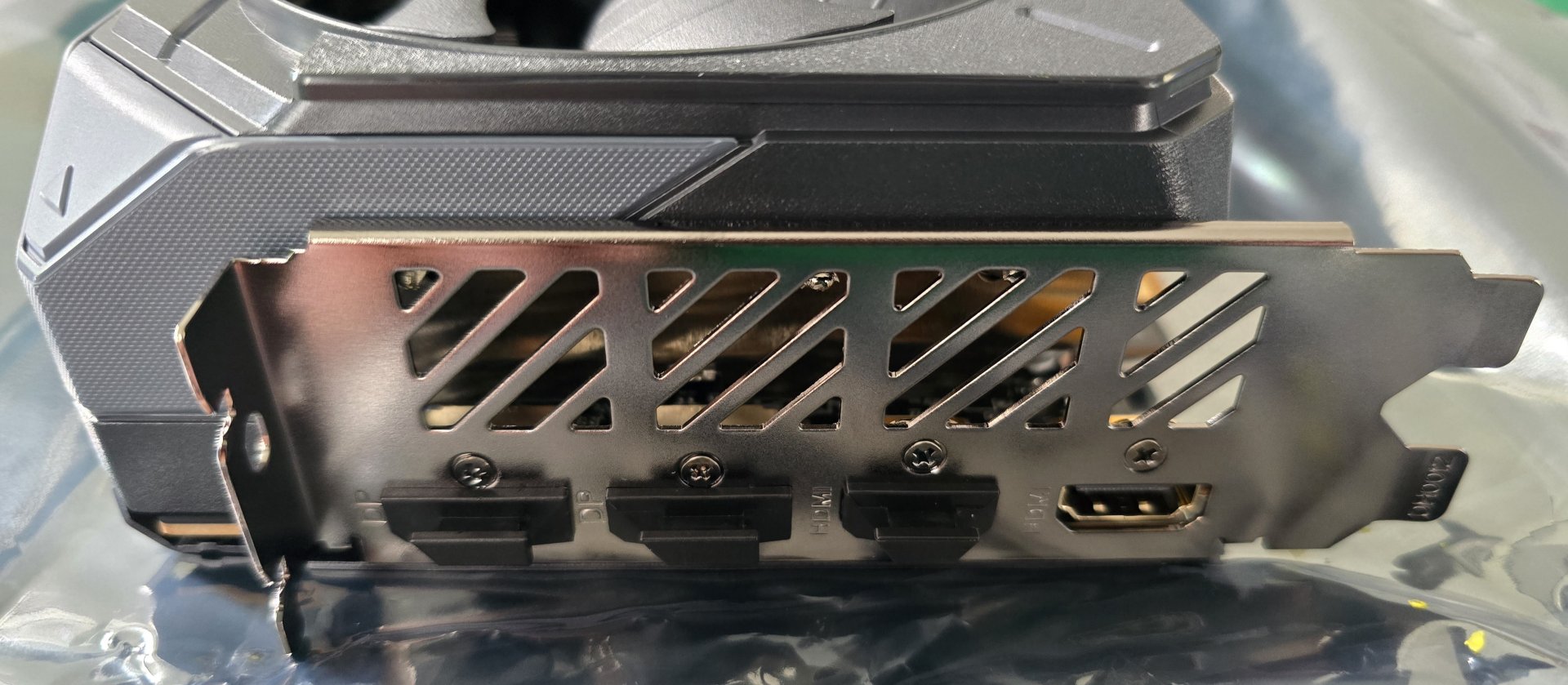
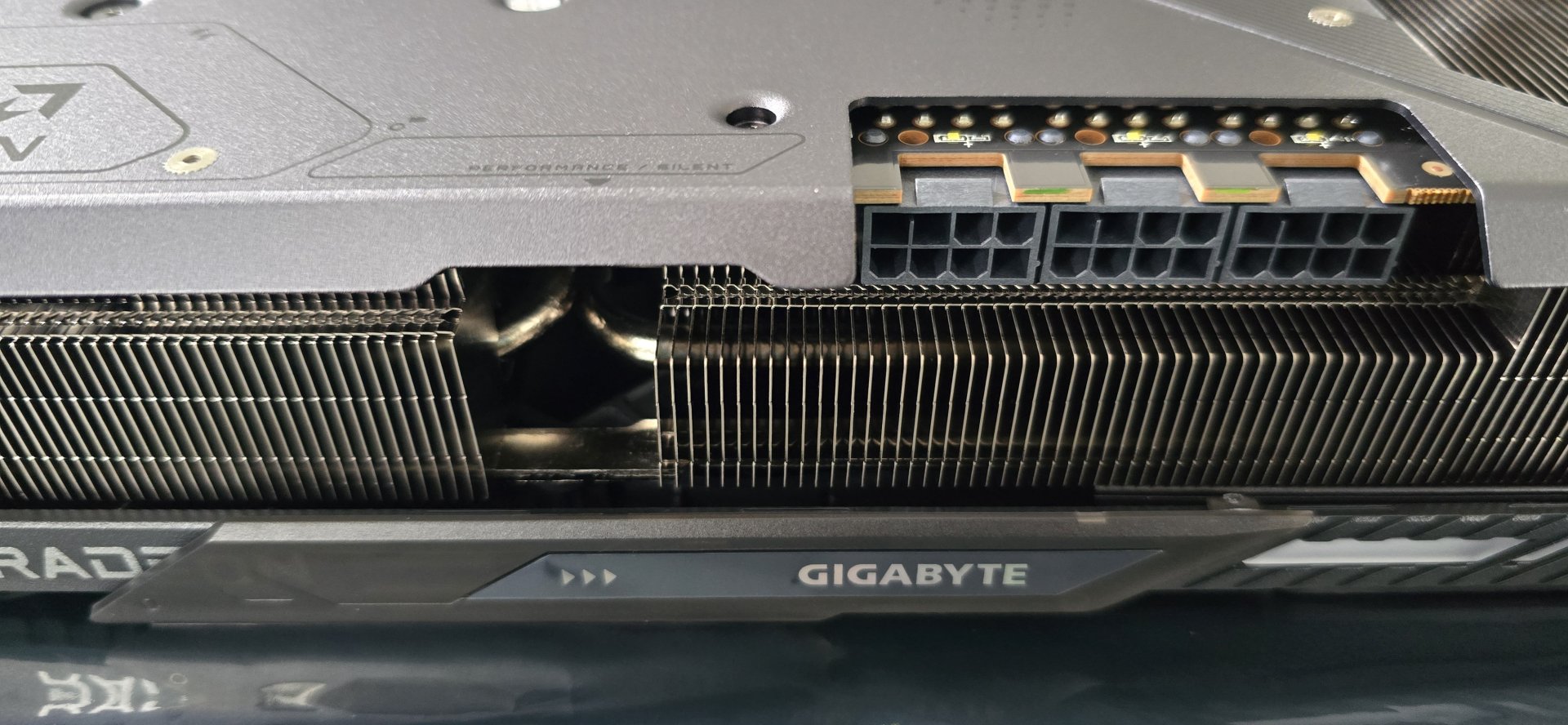
Nothing fancy except for the sliding part that can cover the LED's if you don't want ARGB. Nice decent size for the amount of FPS it provides.


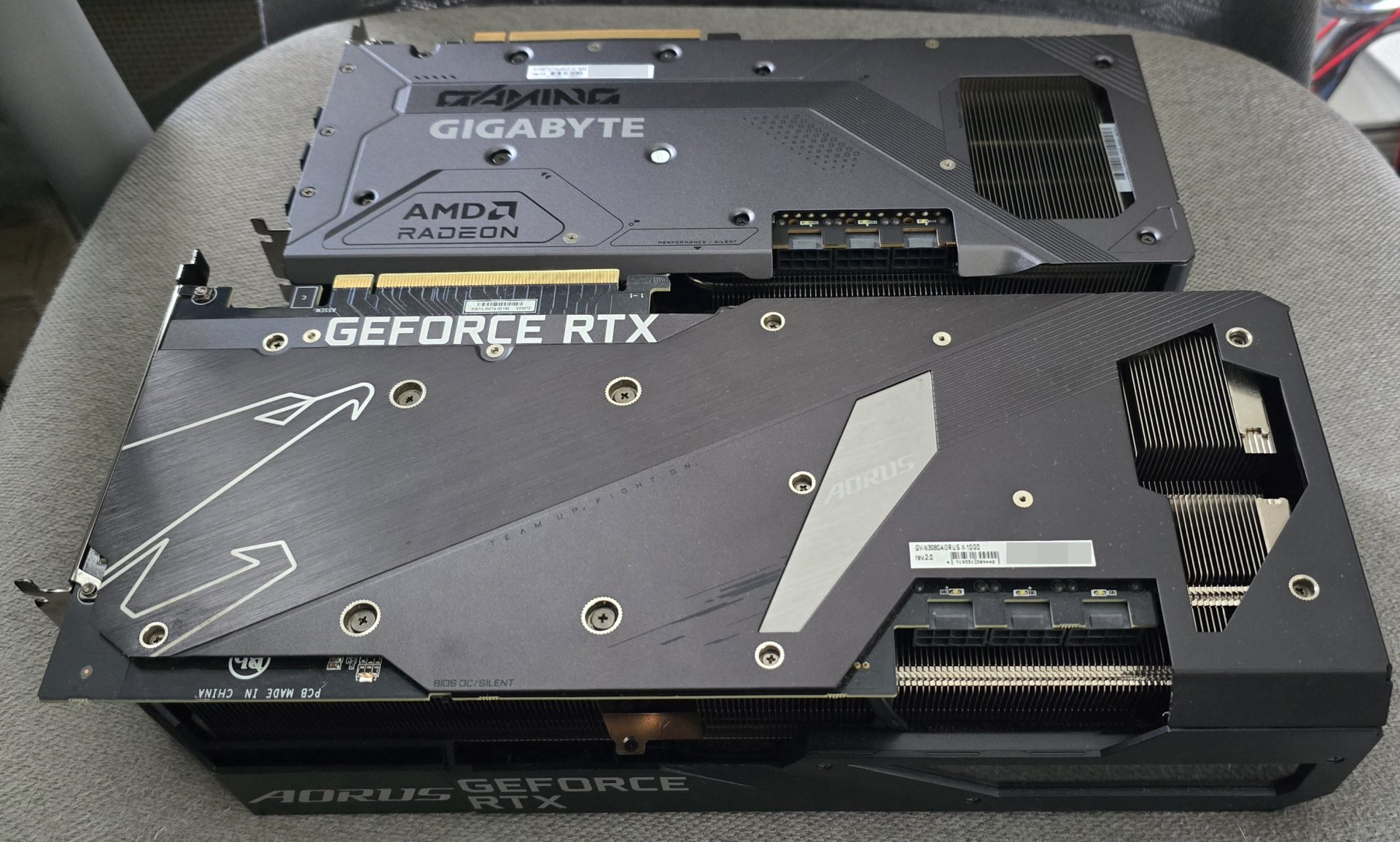
Comparing the size the my Gigabyte AORUS Xtreme RTX 3080 10GB:

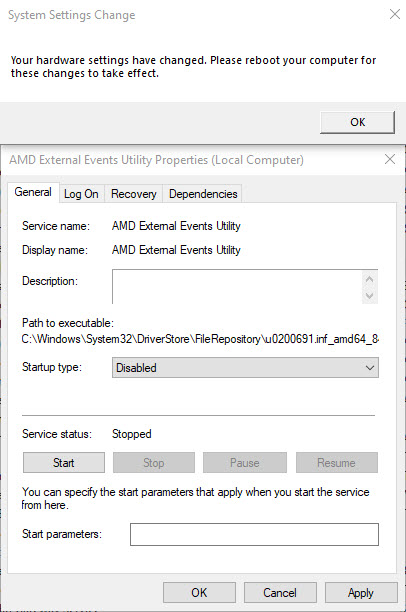
First thing after reboot was a System Settings Change. I kept rebooting, but it kept coming back. So, I disabled AMD External Events Utility. Problem solved.

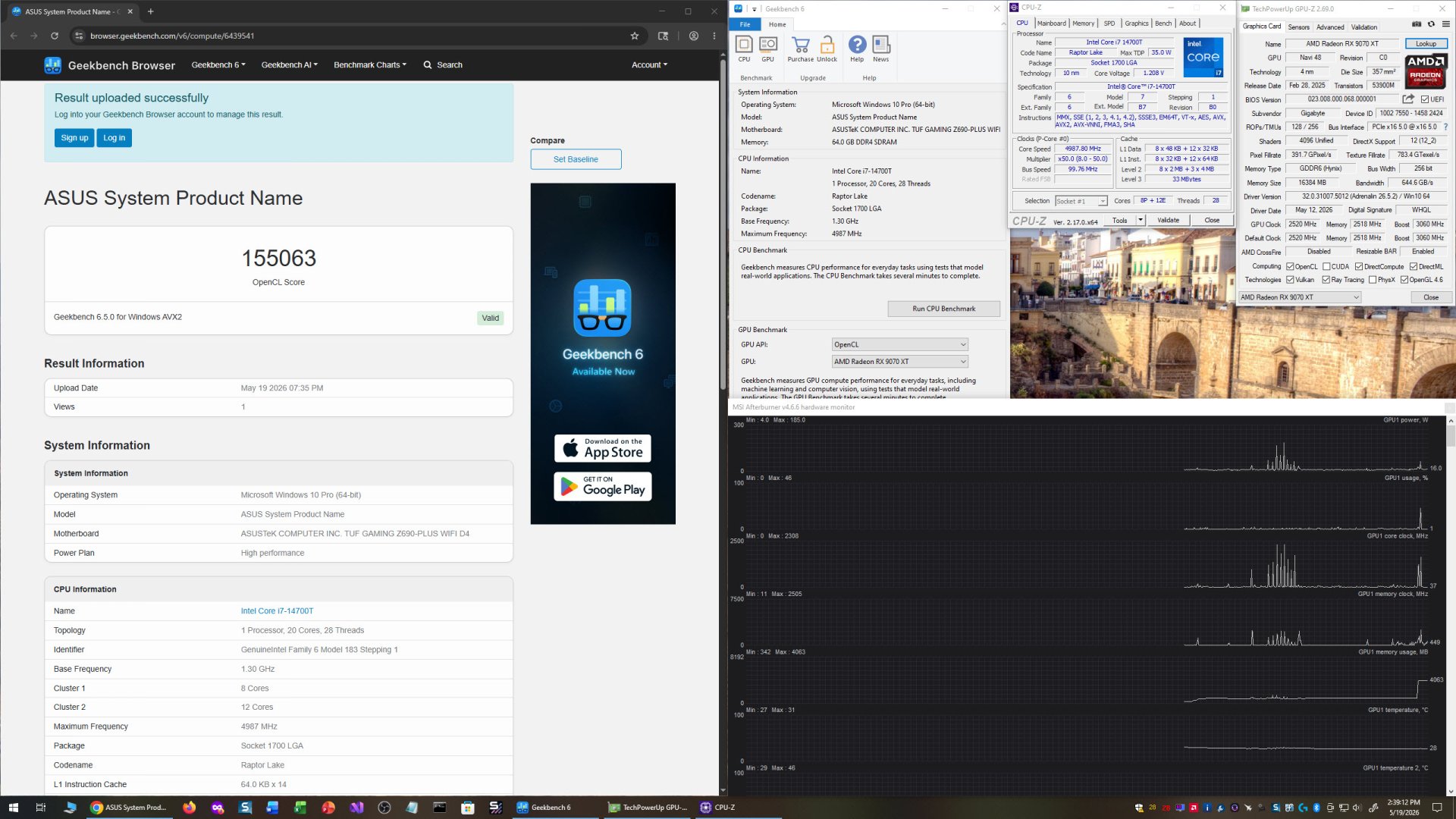
My performance was lackluster in some games, but awesome in others... and horrible in Geekbench 6.

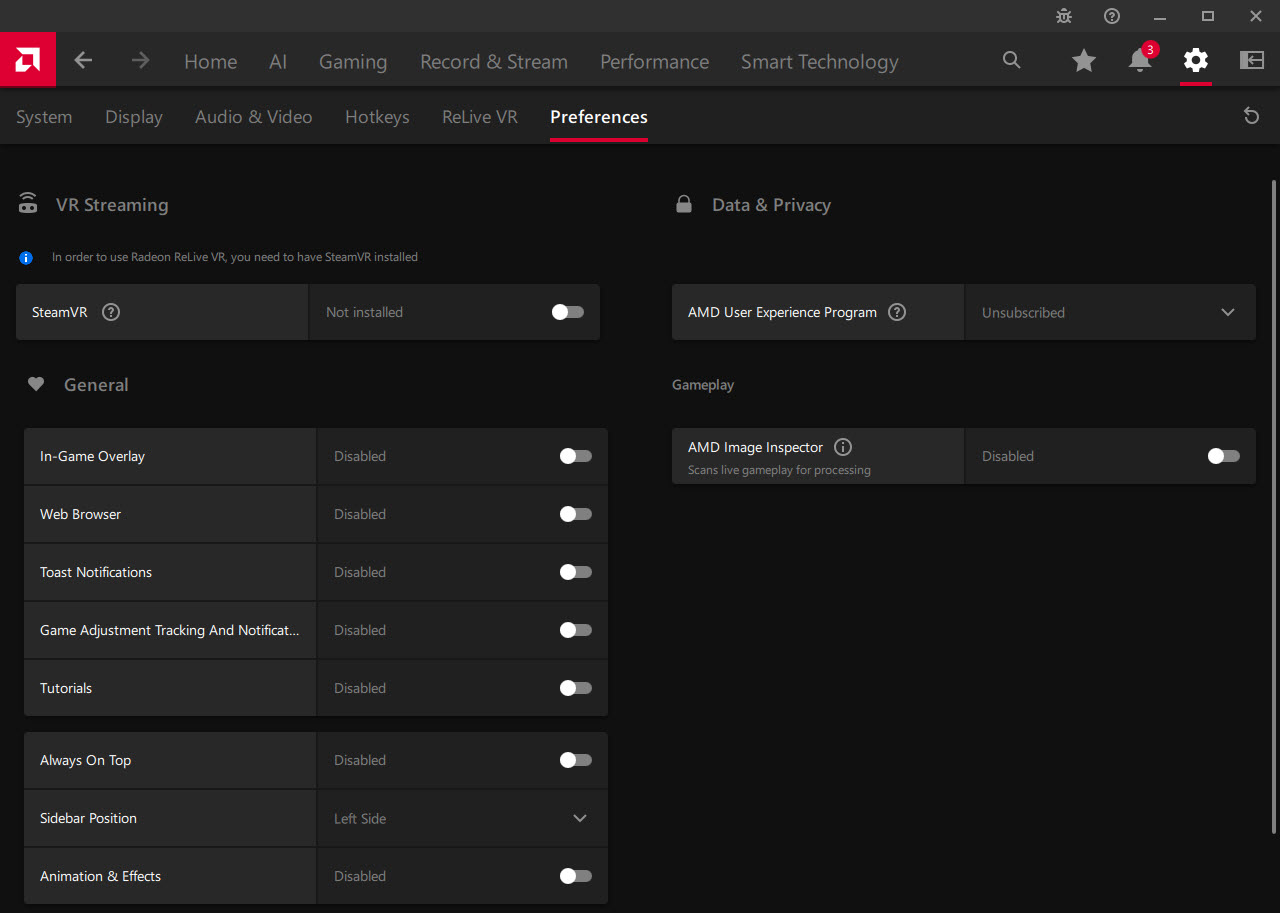
I went to Preferences in AMD Adrenaline and turned off "In-Game Overlay", and decided to turn off everything else there, too. Hopefully that's it!

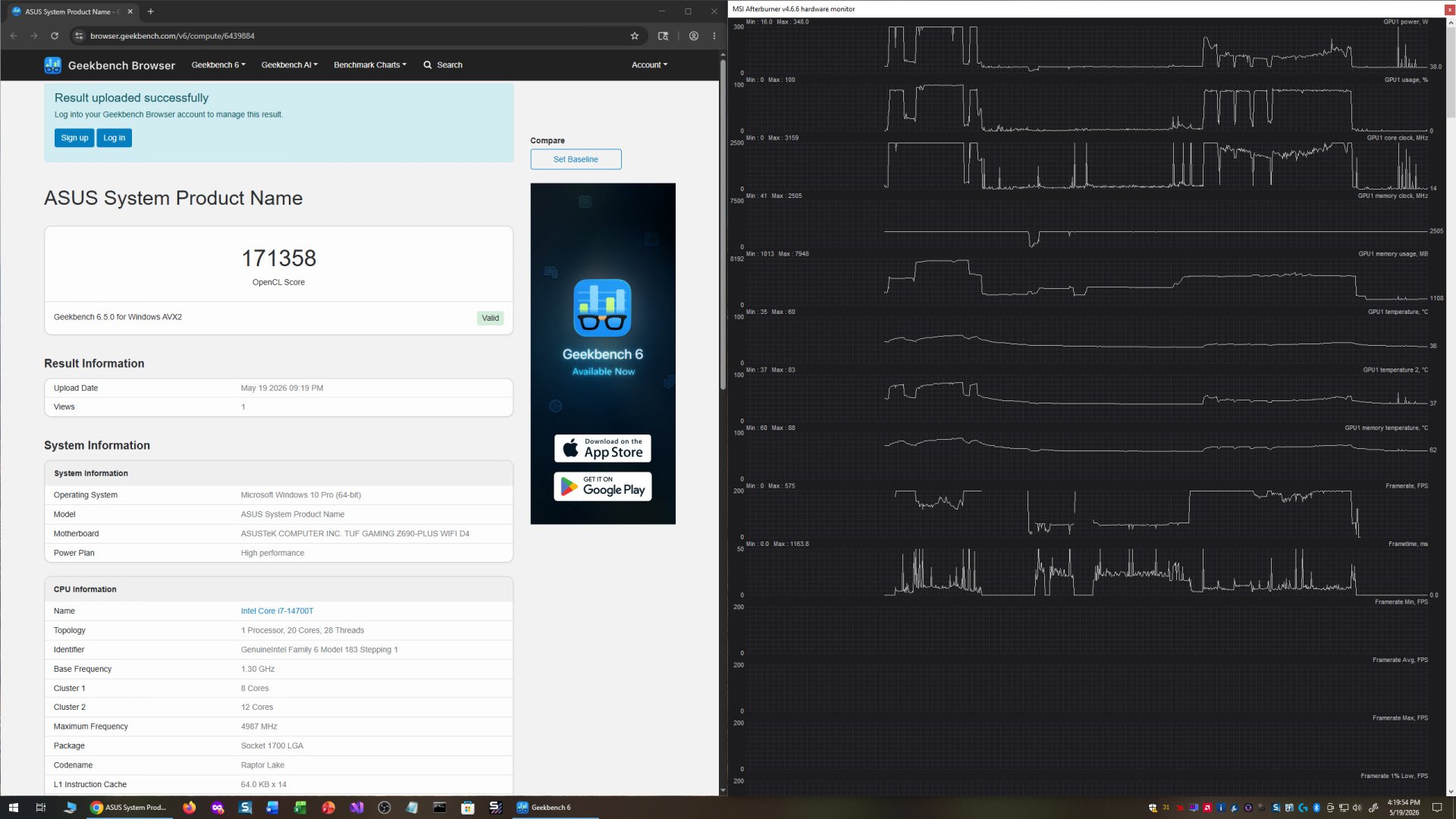
My Geekbench 6 score seemed about right.

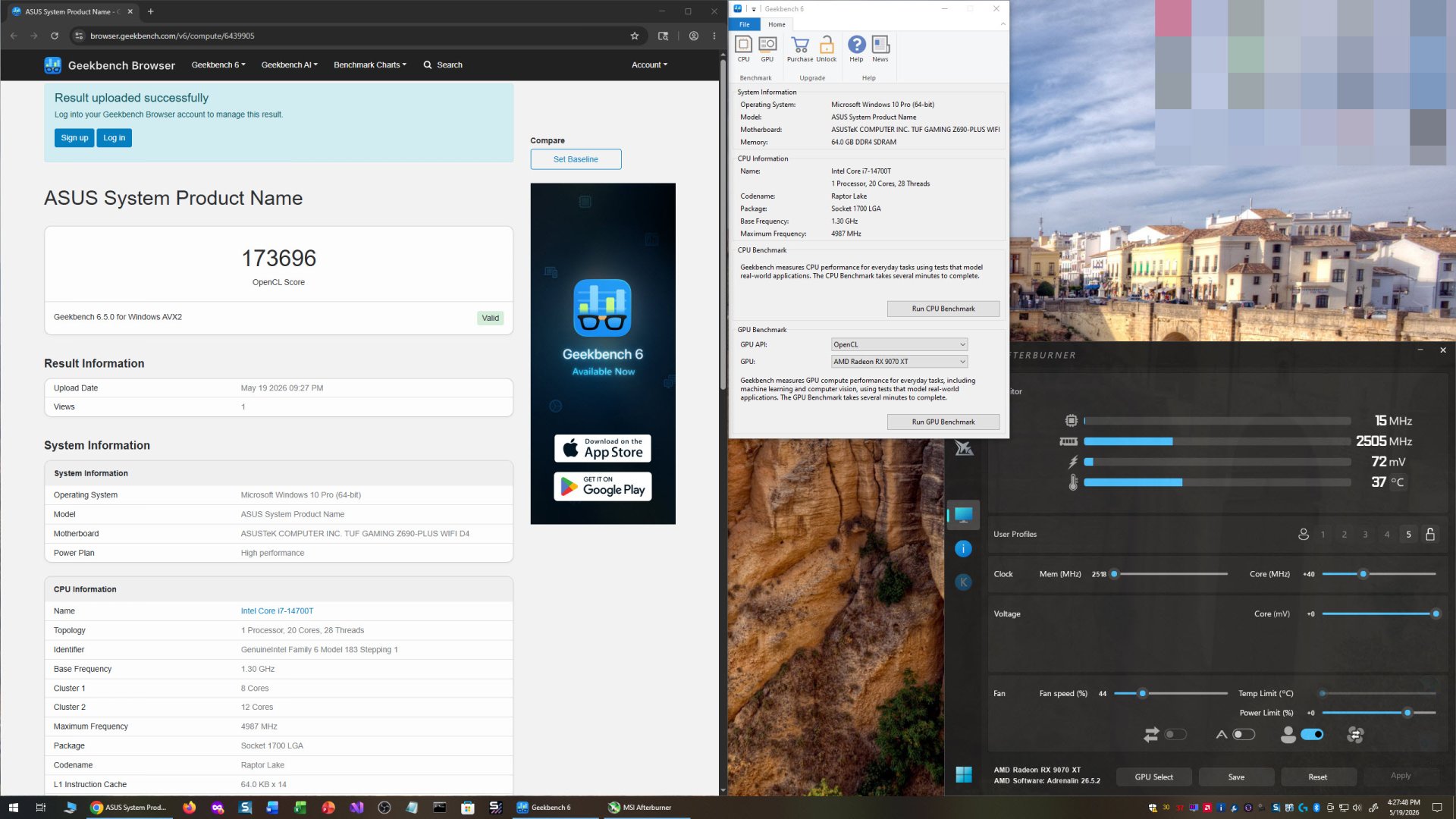
GPU-Z shows Resizable BAR enabled, but AMD Adrenaline shows it as disabled. I might have to edit the registry to enable it, unless there's another way to do it. Damn it, AMD, why do you have to make this so hard?


Update: It's a bug in AMD Adrenalin software. If it says ReBAR is enabled in GPU-Z, it's enabled. Plus, you can additionally verify in Device Manager to ensure Large Memory Range appears in Resource settings.

So far, performance at stock has been great, but overclocking/undervolting has been all over the place. Nothing consistent. Here's a mere +40 Core Clock overclock, getting my best Geekbench 6 score.
Update: For AMD cards, you overclock not with the Frequency slider, but by undervolting the Core Offset by -25mV increments.

Cyberpunk 2066 gets me 144.62FPS at stock. The highest score so far. Overclocks/undervolts give me worse scores.

However, it's better with the same settings than my RTX 3080 10GB, which averaged 95.83FPS. That's a +40.58% difference!

Overall, I'm liking it for gaming so far. It should be pretty good at photo editing. We'll have to see about video editing, though. Seen it push 348 Watts, so it's definitely power hungry. Boosts up to 3159MHz Core Clock. GPU Temp didn't go past 60C with my fan profile, which isn't overly loud, but noticeable when the fan speed increases.
Here it is in one of my systems (which needs dusting):

Update:
Using 3DMark Steel Nomad, I was able to see the limits of my overclocking/undervolting. With the default Custom Fan Tuning, I didn't see my GPU Temp go over 52C. But I did see my Memory Temp get up to 84C, but no higher.
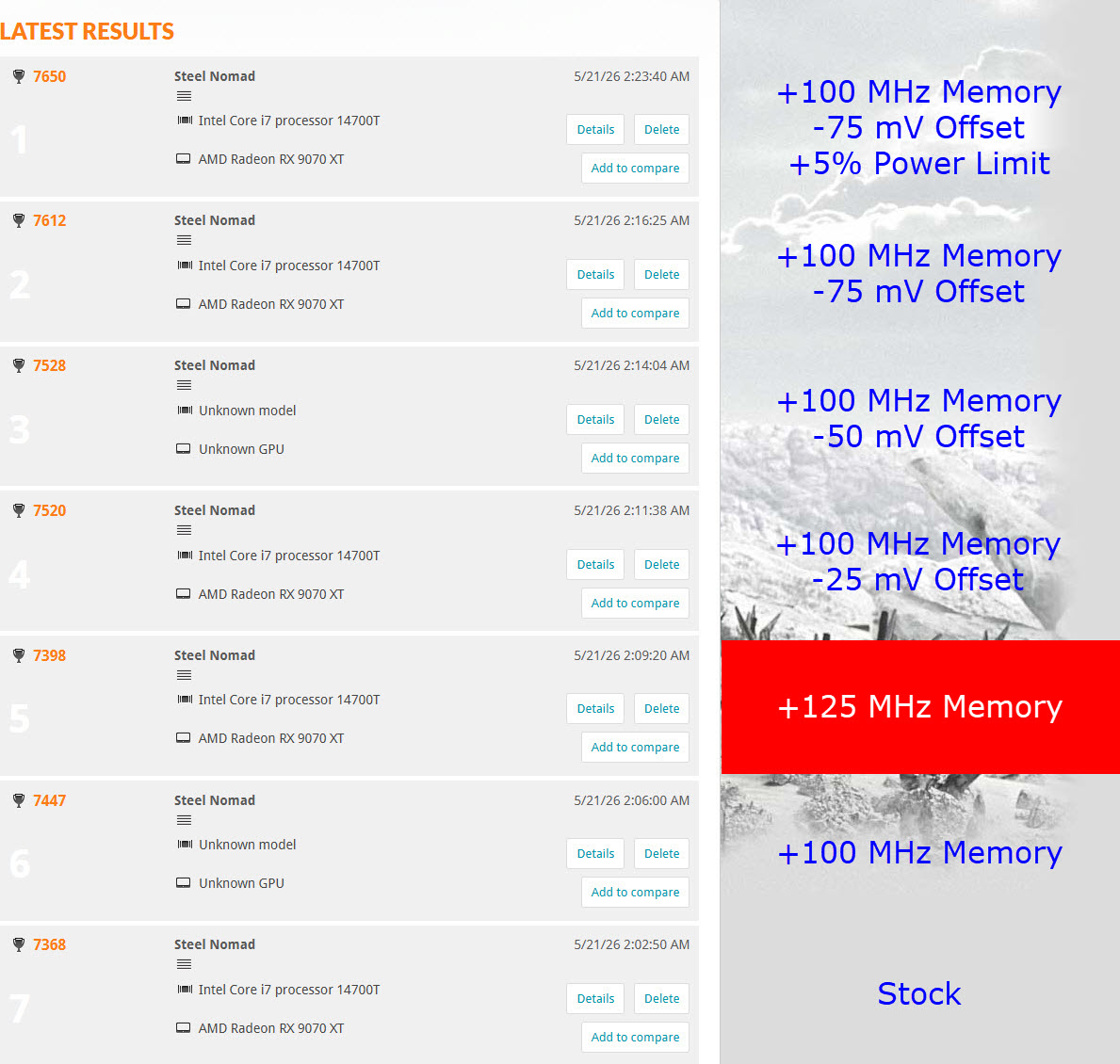
Steel Nomad Scores:
Stock = 7368
+100 MHz Memory = 7447
+125 MHz Memory = 7398 (Fail)
+100 MHz Memory and -25 mV Offset = 7520
+100 MHz Memory and -50 mV Offset = 7528
+100 MHz Memory and -75 mV Offset = 7612
+100 MHz Memory and -100 mV Offset = Crash (Fail)
+100 MHz Memory and -75 mV Offset and +5% Power Limit = 7650


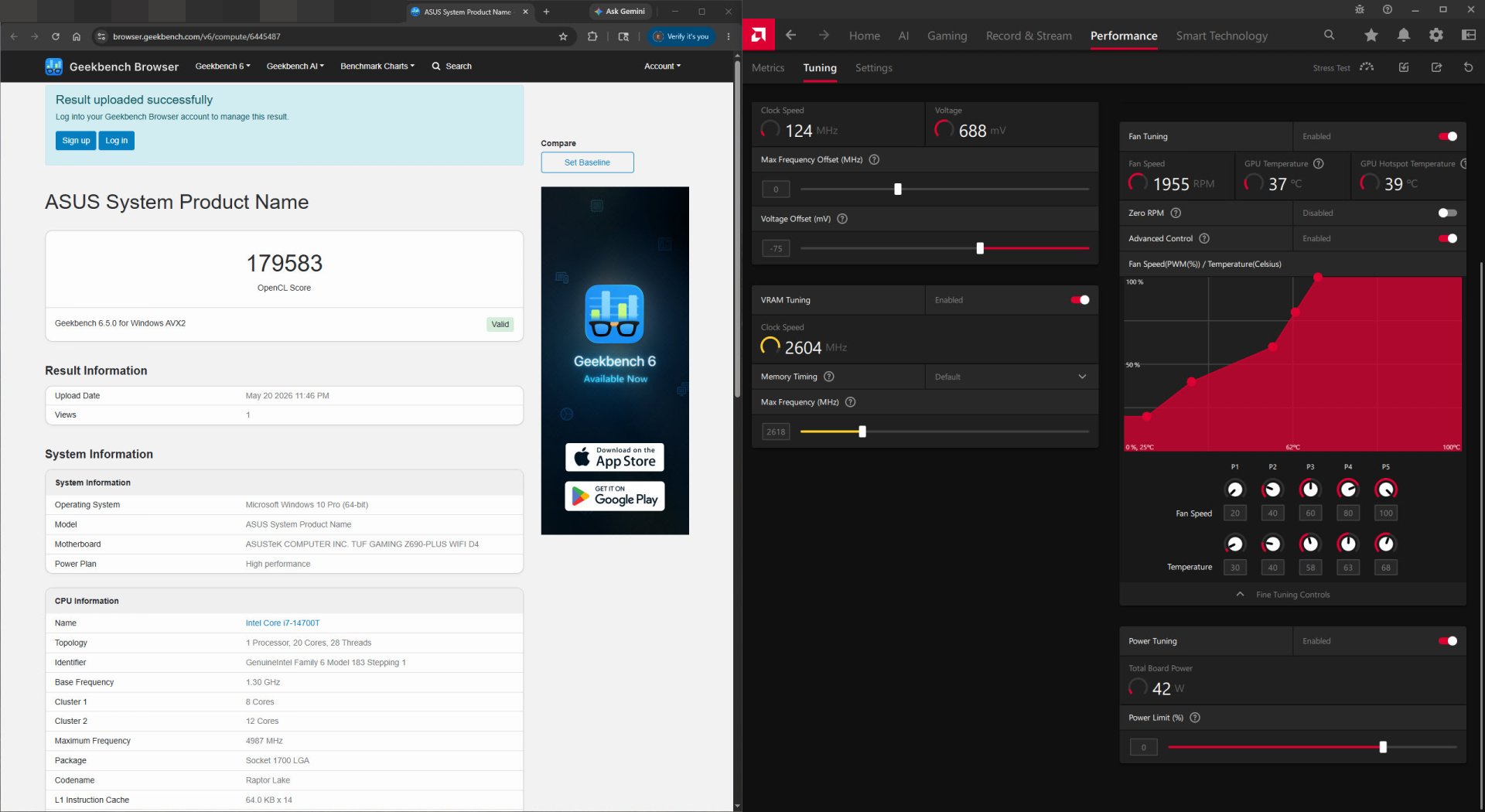
The best Geekbench 6 score so far was with +100 MHz Memory and -75mV Offset. With the +5% Power Limit, I got a slightly lower score.

I also disabled hotkeys for AMD Adrenalin, so I don't accidentally activate/deactivate something.
That's it for now. Next time it'll be overclock settings for a particular game, and that'll be difficult to measure without in-game benchmarks. It should be pretty simple, I'll start with +100 MHz Memory and -75 mV Offset, and increase it by +25mV Offset if there's any signs of instability until it gets back to 0 Offset. If it's still unstable, then back to 0 MHz Memory increase/decrease.
Another Update:
MSI Afterburner seems to work much better than AMD Adrenaline as far as overclocking/undervolting goes.The only problem is, MSI Afterburner's fan profile does not seem to work, it doesn't matter if AMD Adrenaline is on or off. I may have to uninstall AMD Adrenaline to see if it'll work, then.
Update:
Nevermind, I'm just dumb. My excuse is that I haven't used MSI Afterburner for a few years (I've been liking EVGA Precision better).
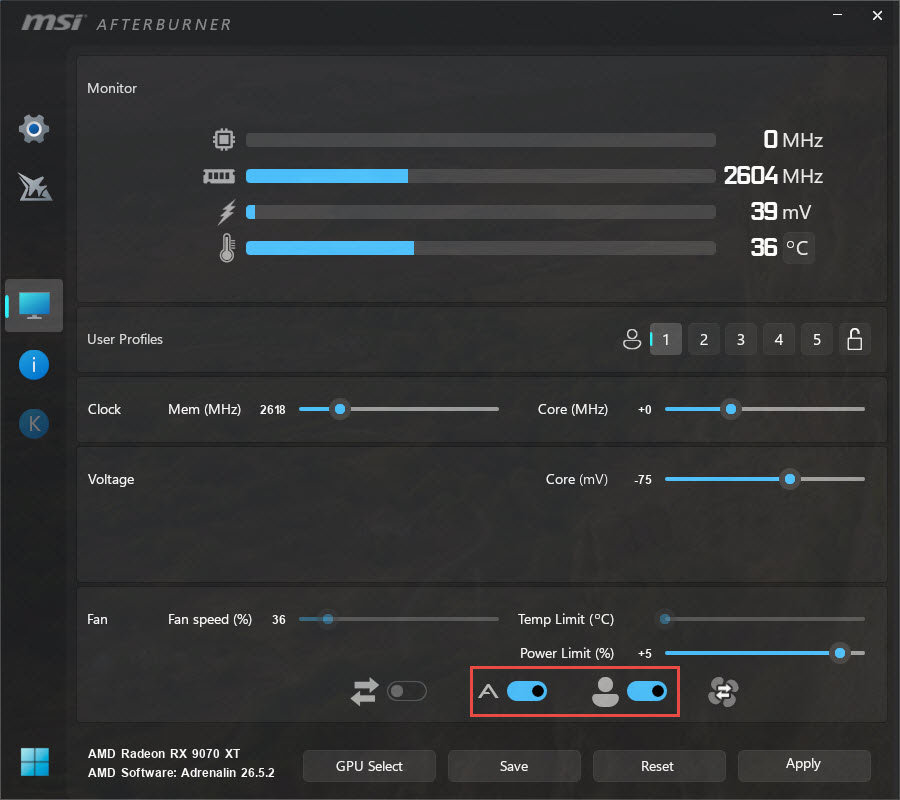
You have to check both these things:

This is my latest fan profile:

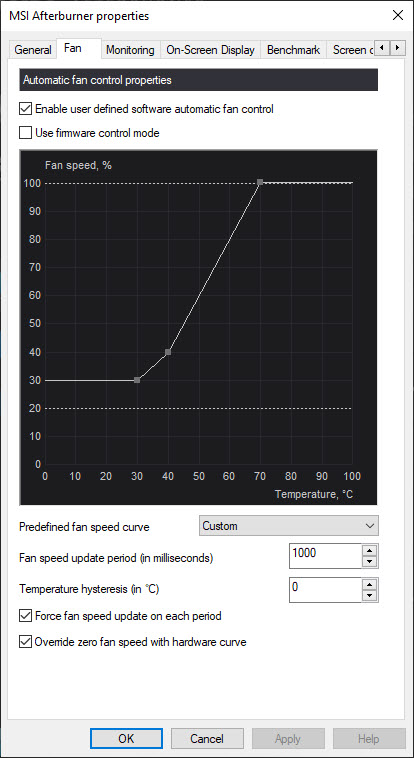
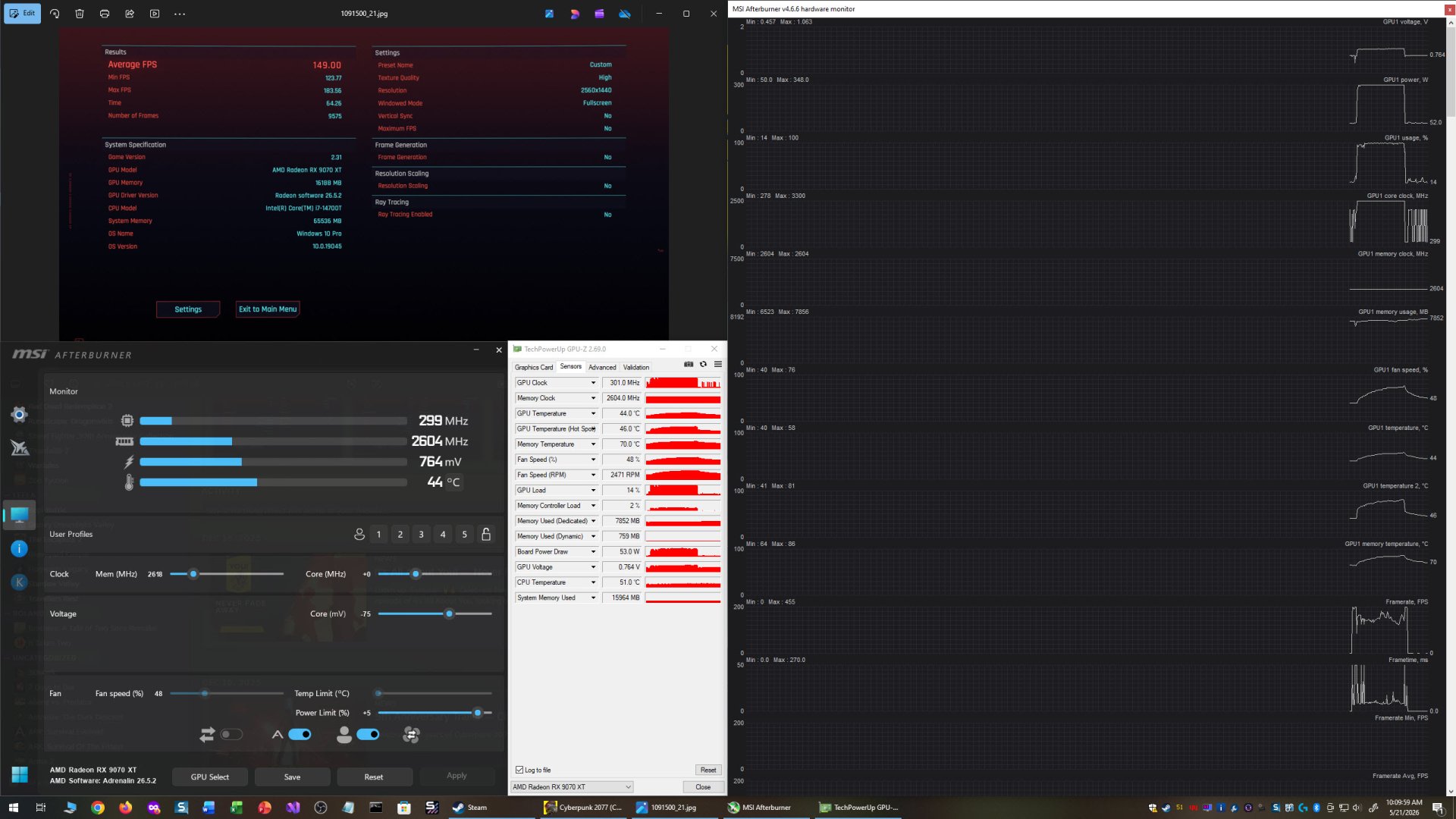
Anyways, I got better results with MSI Afterburner's overclock/undervolt settings:
This was at +100 MHz Memory and -75 mV Offset and +5% Power Limit.
Max Clock = 3300MHz
Memory Clock = 2604MHz
Max GPU Power = 348W
Max GPU Fan Speed = 76%
Max GPU Temp = 58C
Max GPU Temp (Hot Spot) = 81C
Max Memory Temp = 86C

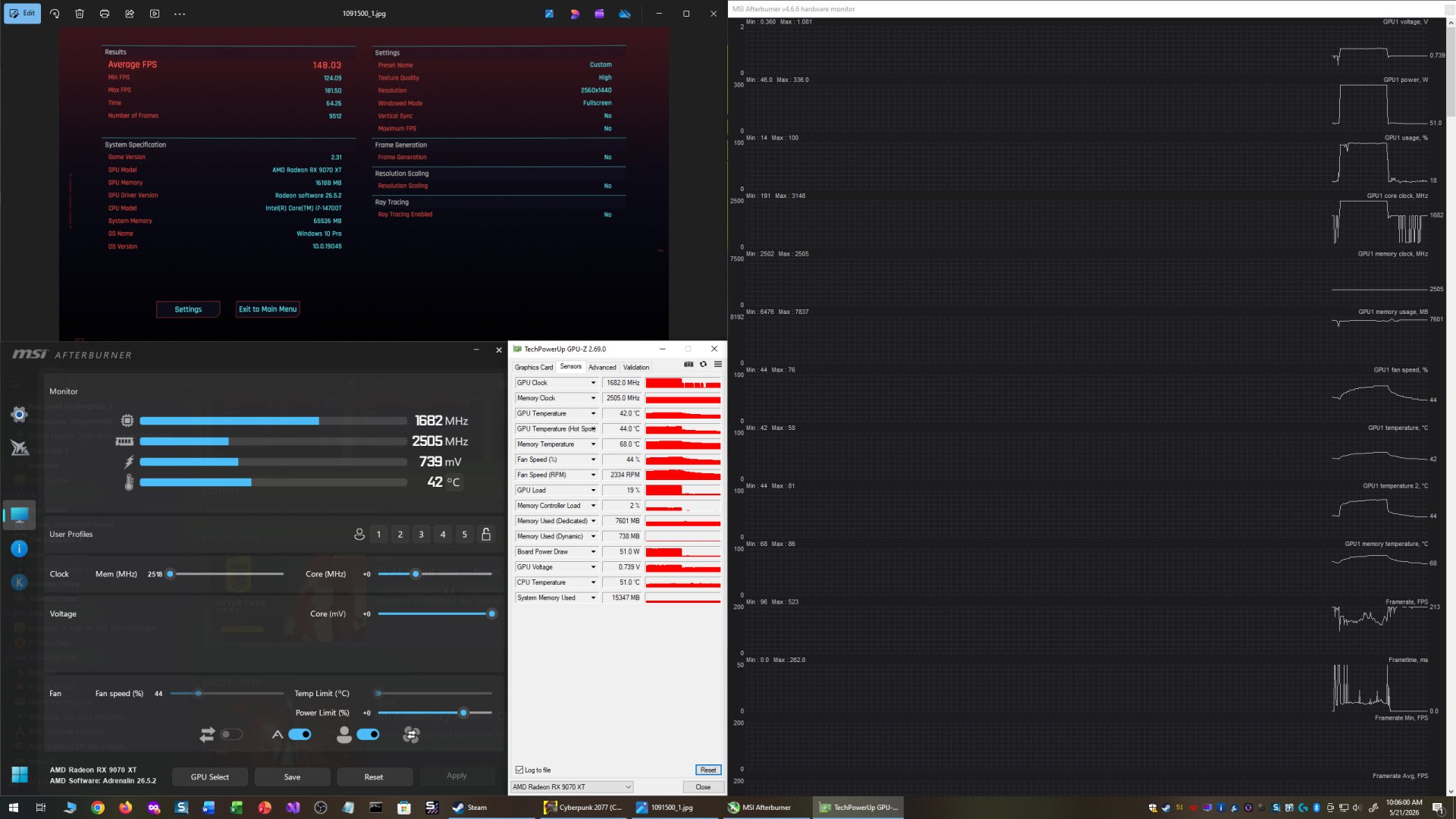
This was at stock:
Max Clock = 3148MHz
Memory Clock = 2505MHz
Max GPU Power = 336W
Max GPU Fan Speed = 76%
Max GPU Temp = 58C
Max GPU Temp (Hot Spot) = 81C
Max Memory Temp = 86C

Nothing fancy except for the sliding part that can cover the LED's if you don't want ARGB. Nice decent size for the amount of FPS it provides.
Comparing the size the my Gigabyte AORUS Xtreme RTX 3080 10GB:
First thing after reboot was a System Settings Change. I kept rebooting, but it kept coming back. So, I disabled AMD External Events Utility. Problem solved.
My performance was lackluster in some games, but awesome in others... and horrible in Geekbench 6.
I went to Preferences in AMD Adrenaline and turned off "In-Game Overlay", and decided to turn off everything else there, too. Hopefully that's it!
My Geekbench 6 score seemed about right.
GPU-Z shows Resizable BAR enabled, but AMD Adrenaline shows it as disabled. I might have to edit the registry to enable it, unless there's another way to do it. Damn it, AMD, why do you have to make this so hard?
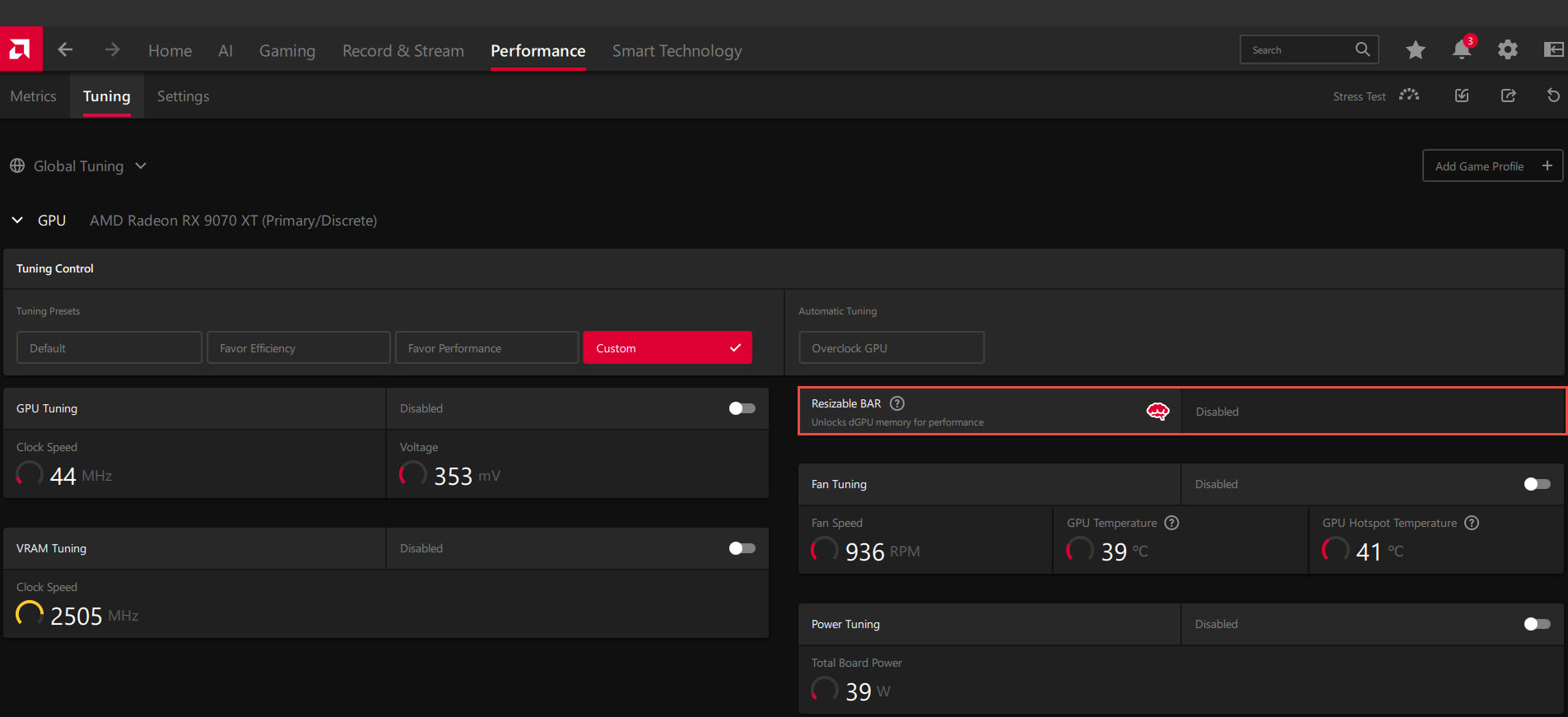
Update: It's a bug in AMD Adrenalin software. If it says ReBAR is enabled in GPU-Z, it's enabled. Plus, you can additionally verify in Device Manager to ensure Large Memory Range appears in Resource settings.
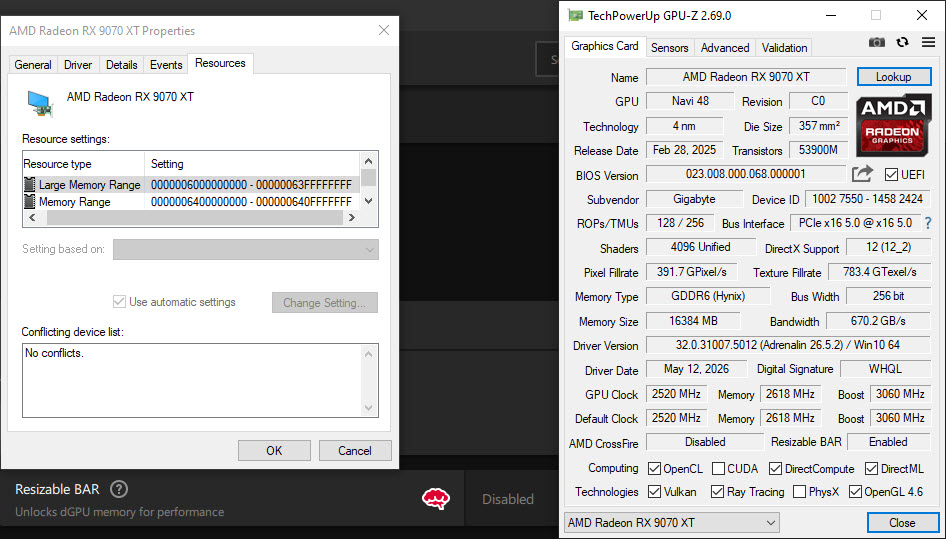
So far, performance at stock has been great, but overclocking/undervolting has been all over the place. Nothing consistent. Here's a mere +40 Core Clock overclock, getting my best Geekbench 6 score.
Update: For AMD cards, you overclock not with the Frequency slider, but by undervolting the Core Offset by -25mV increments.
Cyberpunk 2066 gets me 144.62FPS at stock. The highest score so far. Overclocks/undervolts give me worse scores.
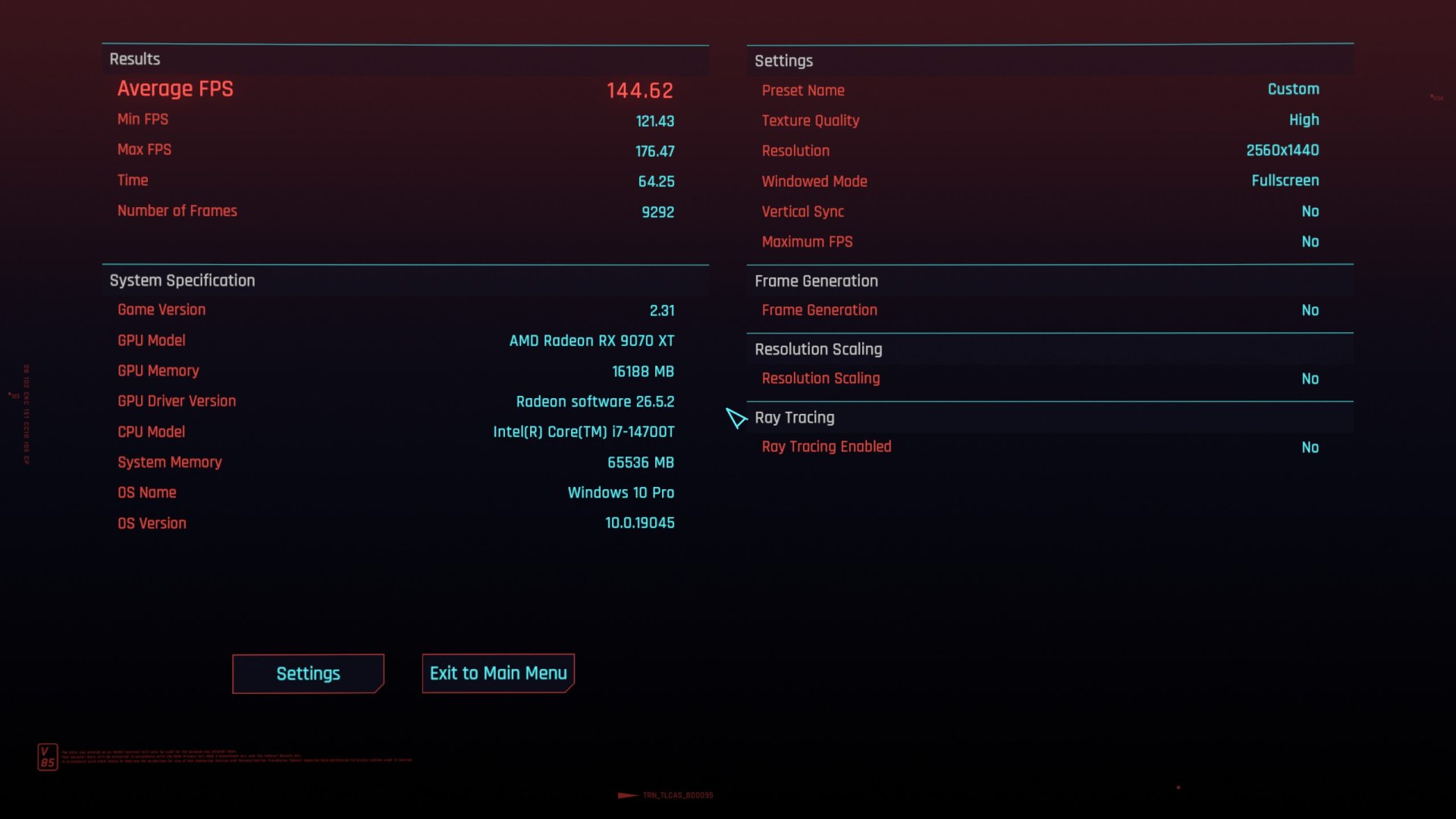
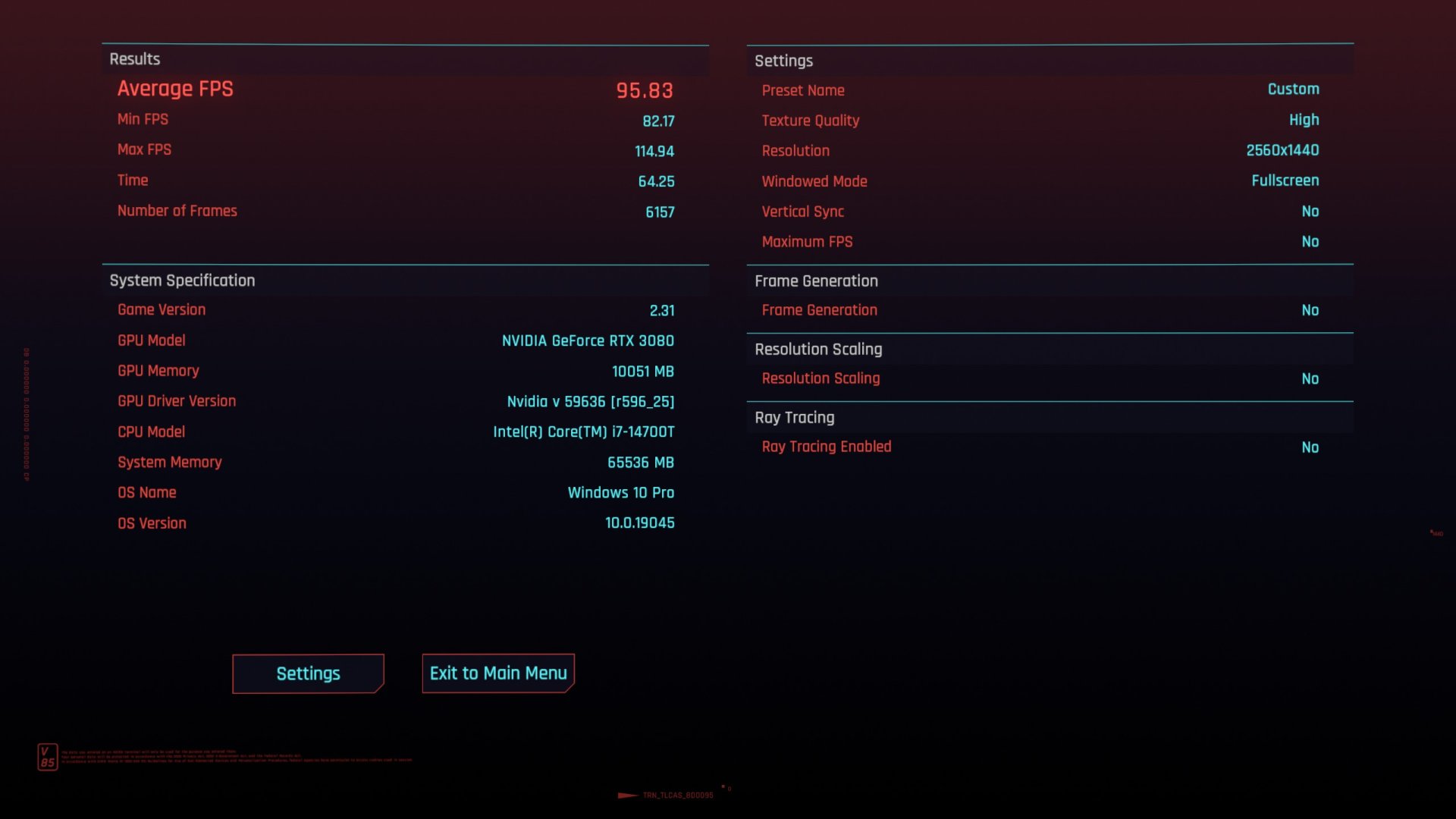
However, it's better with the same settings than my RTX 3080 10GB, which averaged 95.83FPS. That's a +40.58% difference!
Overall, I'm liking it for gaming so far. It should be pretty good at photo editing. We'll have to see about video editing, though. Seen it push 348 Watts, so it's definitely power hungry. Boosts up to 3159MHz Core Clock. GPU Temp didn't go past 60C with my fan profile, which isn't overly loud, but noticeable when the fan speed increases.
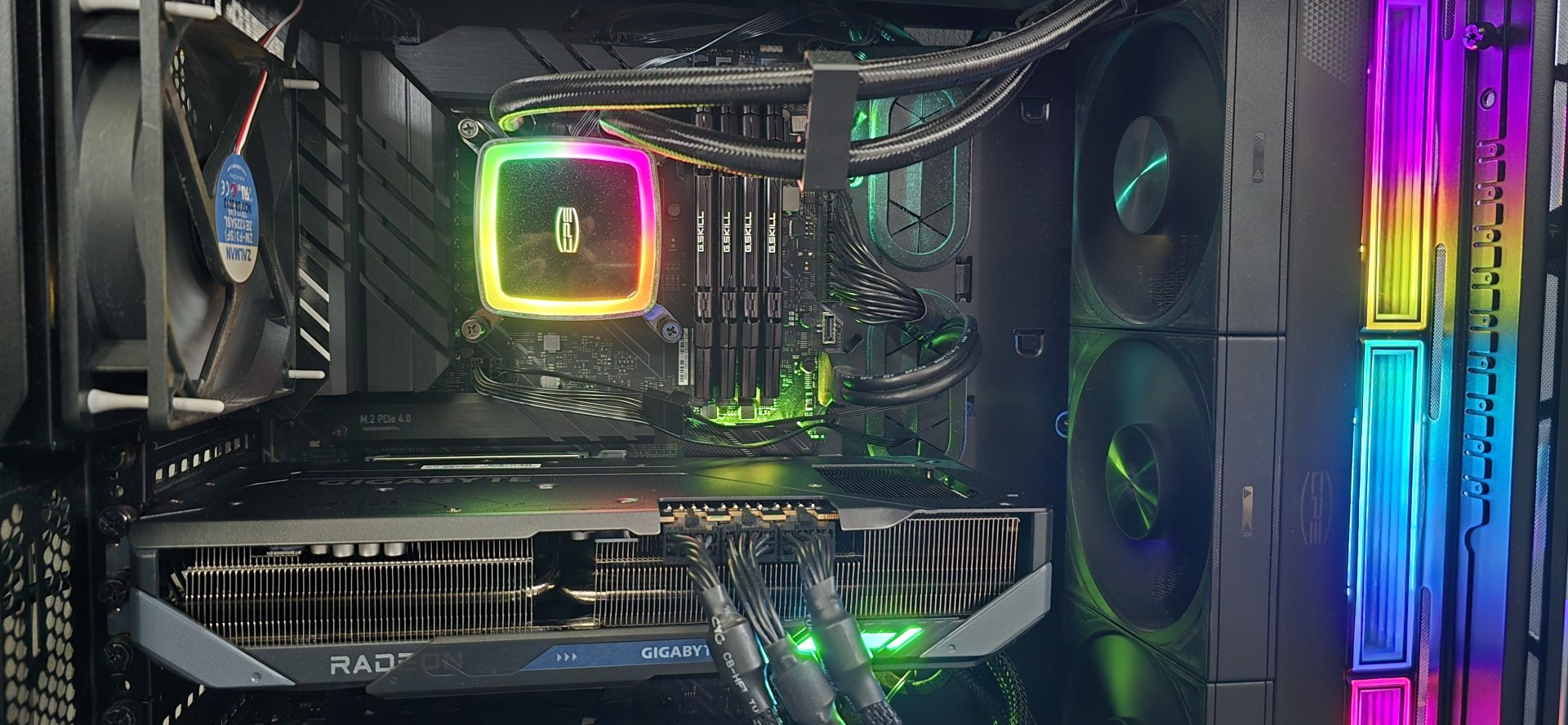
Here it is in one of my systems (which needs dusting):
Update:
Using 3DMark Steel Nomad, I was able to see the limits of my overclocking/undervolting. With the default Custom Fan Tuning, I didn't see my GPU Temp go over 52C. But I did see my Memory Temp get up to 84C, but no higher.
Steel Nomad Scores:
Stock = 7368
+100 MHz Memory = 7447
+125 MHz Memory = 7398 (Fail)
+100 MHz Memory and -25 mV Offset = 7520
+100 MHz Memory and -50 mV Offset = 7528
+100 MHz Memory and -75 mV Offset = 7612
+100 MHz Memory and -100 mV Offset = Crash (Fail)
+100 MHz Memory and -75 mV Offset and +5% Power Limit = 7650
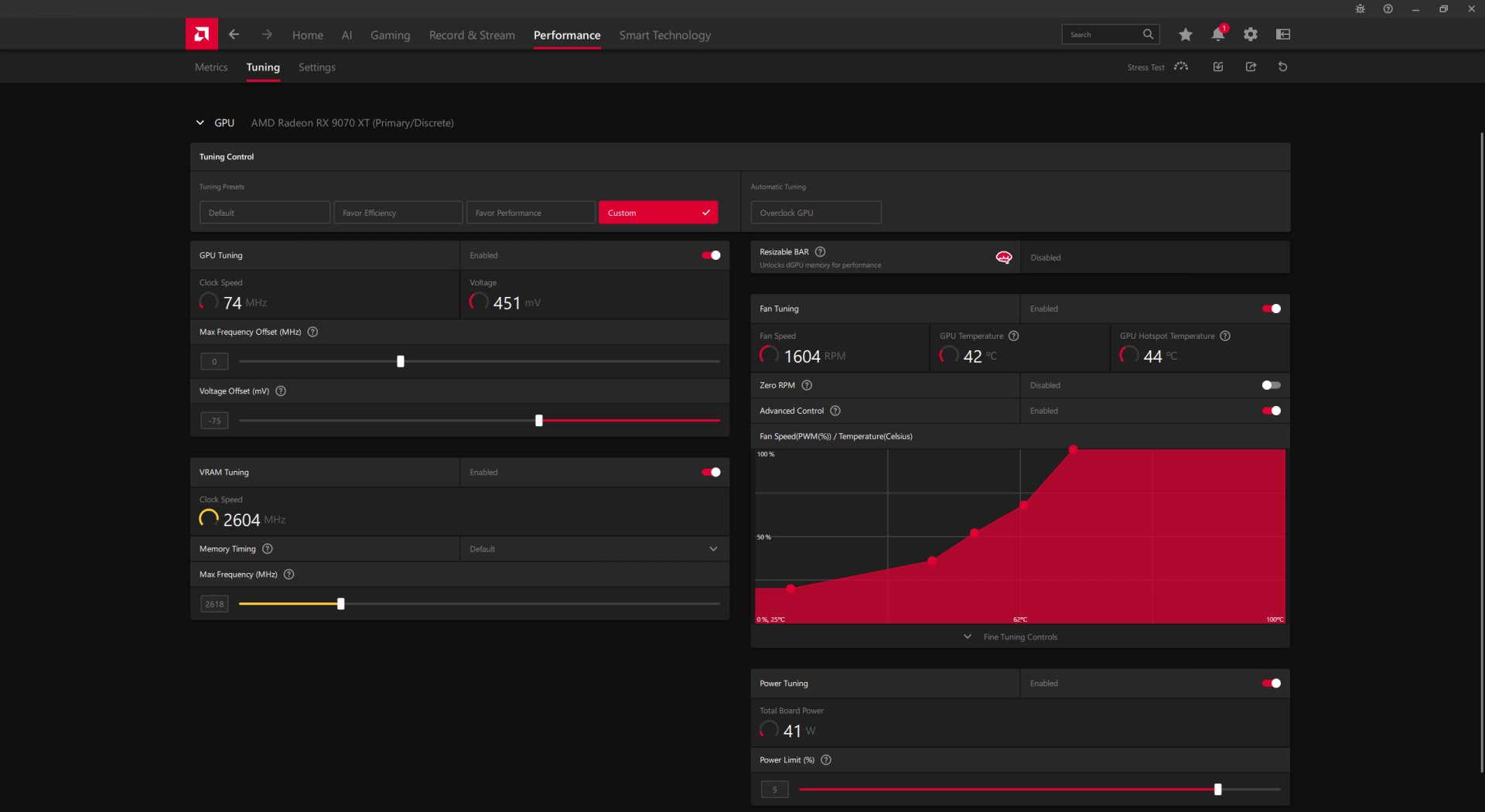
The best Geekbench 6 score so far was with +100 MHz Memory and -75mV Offset. With the +5% Power Limit, I got a slightly lower score.
I also disabled hotkeys for AMD Adrenalin, so I don't accidentally activate/deactivate something.
That's it for now. Next time it'll be overclock settings for a particular game, and that'll be difficult to measure without in-game benchmarks. It should be pretty simple, I'll start with +100 MHz Memory and -75 mV Offset, and increase it by +25mV Offset if there's any signs of instability until it gets back to 0 Offset. If it's still unstable, then back to 0 MHz Memory increase/decrease.
Another Update:
MSI Afterburner seems to work much better than AMD Adrenaline as far as overclocking/undervolting goes.
Update:
Nevermind, I'm just dumb. My excuse is that I haven't used MSI Afterburner for a few years (I've been liking EVGA Precision better).
You have to check both these things:
This is my latest fan profile:
Anyways, I got better results with MSI Afterburner's overclock/undervolt settings:
This was at +100 MHz Memory and -75 mV Offset and +5% Power Limit.
Max Clock = 3300MHz
Memory Clock = 2604MHz
Max GPU Power = 348W
Max GPU Fan Speed = 76%
Max GPU Temp = 58C
Max GPU Temp (Hot Spot) = 81C
Max Memory Temp = 86C
This was at stock:
Max Clock = 3148MHz
Memory Clock = 2505MHz
Max GPU Power = 336W
Max GPU Fan Speed = 76%
Max GPU Temp = 58C
Max GPU Temp (Hot Spot) = 81C
Max Memory Temp = 86C
Last edited:


